5 key steps to run an effective client meeting


Table of Contents
- Key takeaways
- Why reporting meetings matter
- How often should you have reporting meetings?
- What to handle async, and what to save for live
- How to run a client report meeting: 5 key steps
- A meeting structure that works: the IDS format
- Best practices for better client meetings
- Turn reporting into a two-way conversation
- After the meeting: follow up and follow through
- Tools and technology to automate the process
- Get more from your reporting meetings
7,000+ agencies have ditched manual reports. You can too.
Free 14-Day TrialTable of Contents
- Key takeaways
- Why reporting meetings matter
- How often should you have reporting meetings?
- What to handle async, and what to save for live
- How to run a client report meeting: 5 key steps
- A meeting structure that works: the IDS format
- Best practices for better client meetings
- Turn reporting into a two-way conversation
- After the meeting: follow up and follow through
- Tools and technology to automate the process
- Get more from your reporting meetings
7,000+ agencies have ditched manual reports. You can too.
Free 14-Day TrialKeeping clients updated on the results of your agency’s work builds trust and transparency, and it opens conversations that would not happen otherwise. Regular reporting meetings are a chance to share wins, investigate performance issues, and explore ways to optimize, improve upon, or launch new initiatives.
Then there’s the version most agencies actually run. You schedule the monthly call, pull up the dashboards, walk through the same KPIs, answer a few quick questions, and… done. When a meeting turns into a walkthrough of metrics your client could have read themselves, it drains time instead of driving clarity.
This guide covers the cadence to set, what to handle asynchronously, the five steps that make the meeting itself productive, and how to follow up. It draws on insights gathered from the AgencyAnalytics community of 7,000+ agencies.
Key takeaways
Most agencies report monthly (58%, with a further 15% reporting weekly), and a monthly meeting cadence gives you fresh results without a backlog to catch up on.
Agencies that use dashboards and async reports to offload routine updates save 2–4 hours per client per month.
Five steps carry a productive meeting: a shared agenda, gathered data, contextualized numbers, a clear narrative, and dashboards everyone can see.
Clients engage far more when the report is built around the metrics they asked for, so revisit KPIs as their business changes.
Send a recap within 24–48 hours covering decisions, owners, and next steps, so the following meeting starts where the last one ended.
Why reporting meetings matter
Reports and dashboards already show how your agency’s strategies produced tangible wins. So why meet as well?
Reporting meetings serve as a health check for your client relationships. They’re an opportunity to go over your team’s output, show the impact on the client’s business objectives, and explore ways you might adjust for stronger results. This is how you hold accountability on what you agreed and manage client expectations in real time, and it opens discussions around optimization, future plans, and next steps (i.e., upselling and cross-selling your agency’s services).
Each meeting is also a chance to show that you understand the client’s expectations, needs, and key performance indicators (KPIs), which builds the trust and rapport that keeps the relationship going.
The hidden cost of a report-reading meeting
Here’s what happens in a typical monthly client meeting:
You review KPIs from the dashboard
Clients nod along (or multitask)
You recap what was already in the report
You run out of time before discussing strategy
AgencyAnalytics client engagement research points to the root cause: clients aren’t reading their reports because they have three pages of data and only want to know if something has gone up or down. Many agencies stay in that cycle out of a fear of losing clients through a lack of communication, or a fear that metrics alone won’t capture the value of the work.
Internal research puts numbers on what changes when the format does:
Agencies that use dashboards and async reports to offload routine updates save 2–4 hours per client per month.
Meetings that are strategy-focused vs. report-focused lead to higher client satisfaction and retention.
Clients report feeling more empowered when they can review metrics on their own time before a meeting.
Narrative reporting improves an agency’s ability to prove the ROI of its efforts.
Knowing that they can check into their key metrics on their own time in the client dashboard is something our clients value highly, and it allows them to come to our reporting meetings armed with information so that we are able to have frank, productive conversations.
Bill Dubiel, Digital Marketing Specialist, 19 Ideas

So this isn’t about cutting meetings. It’s about cutting out what doesn’t serve the relationship and making every minute count.
How often should you have reporting meetings?
The ideal cadence varies with the type of work your agency is doing and the goals you’ve set with the client. Generally speaking, it’s better to meet more frequently than not enough, so long as you’re not clogging up participants’ schedules.
You might send reports more regularly, but a monthly reporting meeting tends to strike the right balance. Enough time passes to give you fresh results, without leaving so much to catch up on.
I’ve always been big about building and developing relationships–not just a ticket system that makes clients just another number in the line. We let them know, “If you have an issue, we’re going to answer. We’re going to come out and meet with you if you want to meet in person. We’re going to meet every month. We want to be at that meeting because we want to let you know what we’re doing for you, and what our goals are, and, if you have any questions or or any specific goals that you want us to work on.
Kevin Watts, President, Raincross
Not all meetings are created equal, and that’s a good thing. Alongside the recurring reporting meeting, these formats each earn their place in the calendar.
Kickoff and first meetings
For prospective clients or new accounts, a face-to-face conversation is invaluable. It’s the best time to:
Set expectations
Establish your working relationship
Define meeting objectives and agenda items for the months ahead
Small business owners especially value this personal touch. It creates a strong first impression that sets the tone for future collaboration.
Strategy sessions (monthly or quarterly)
These are where the real value happens. Skip the KPI-by-KPI walkthrough and focus on big-picture trends, performance pivots, and opportunities worth exploring. Come prepared with talking points like:
Which goals are on track, and which need attention?
What insights surfaced from the last reporting period?
What are the next steps or experiments we’re recommending?
Use these longer sessions to revisit long-term goals, reassess KPIs, and discuss how external factors might influence your strategies. A monthly strategy session or quarterly business review prevents meetings from becoming data recaps.
💡 Agency tip: Share a high-level async summary a few days before the meeting so clients feel prepared and don’t feel pressured to react in real-time.
Milestone check-ins
Not every meeting needs a recurring invite. If you’re wrapping a major campaign or launching a new service, consider a short check-in to:
Review performance and client feedback
Present campaign lessons learned
Commit to a plan moving forward
These calls are an excellent way to recap, reset, and recommit to the client’s success, especially when the stakes are high or the timelines are tight.
Feedback sessions
If you’re introducing a new reporting process or want to refine your async workflows, don’t guess. Ask. A short feedback-focused meeting tells you how clients consume reports, whether updates are clear, and which pain points to address before they hit the working relationship.
Office hours or drop-in sessions
For clients with immediate concerns, offer short, optional office hours. This gives them an easy way to connect outside the scheduled meeting.
What to handle async, and what to save for live
Asynchronous updates save time and streamline workflows, but they’re not a one-size-fits-all solution. The most effective agencies don’t eliminate meetings. They develop a rhythm: async for updates, live for strategy.
✅ Go async when…
Sharing quick performance updates: Clients don’t need a full meeting to hear, “Traffic is up by 12%.” Send a clear summary instead.
Sending monthly or weekly reports: Use annotated marketing dashboards or report templates with commentary blocks to explain what changed and why it matters.
Answering common or one-off questions: Loom videos, annotated charts, integrated messaging, or email replies often resolve concerns faster than a call.
Prepping for deeper conversations: Send an async update first to align on data, then use live time to brainstorm what comes next.
Since implementing AgencyAnalytics, Longhouse’s reporting process has become the fastest, clearest, and most efficient, which helps us stand out among the competitive industry of marketing companies.
This means that our bi-weekly, monthly, or quarterly meetings with the client can be focused on strategy rather than finding the data.
Keenan Beavis, Founder, Longhouse
🤝 Go live when…
Onboarding new clients: A live kickoff helps build the relationship, align expectations, and add a personal touch to your client onboarding.
Setting strategy or making big pivots: Complex ideas often benefit from live discussion, especially when you’re aligning stakeholders or exploring new directions.
Handling sensitive feedback: Difficult client conversations are often more effective face-to-face (or screen-to-screen), where tone and intent are clearer.
Reviewing performance issues: If results missed the mark, a live meeting provides an opportunity to explain, recalibrate, and reassure.
Async makes face-to-face time more valuable. By clearing the clutter of status updates and redundant walkthroughs, you protect your most precious resource: focused, strategic client conversations.
Async doesn’t mean impersonal
It’s easy to assume that asynchronous communication means less communication. But when done right, async updates give you the breathing room to craft messages with more context, relevance, and thought.

And for clients? That means fewer rushed Zoom calls and more space to absorb what really matters, on their own terms. Here are four async reporting formats clients actually love.

✅ Automated email summaries: Set up recurring weekly or monthly reports that summarize key performance insights. Add short narrative context at the top (e.g., “Here’s what’s working, what needs attention, and what’s next”) so clients aren’t left interpreting charts alone.

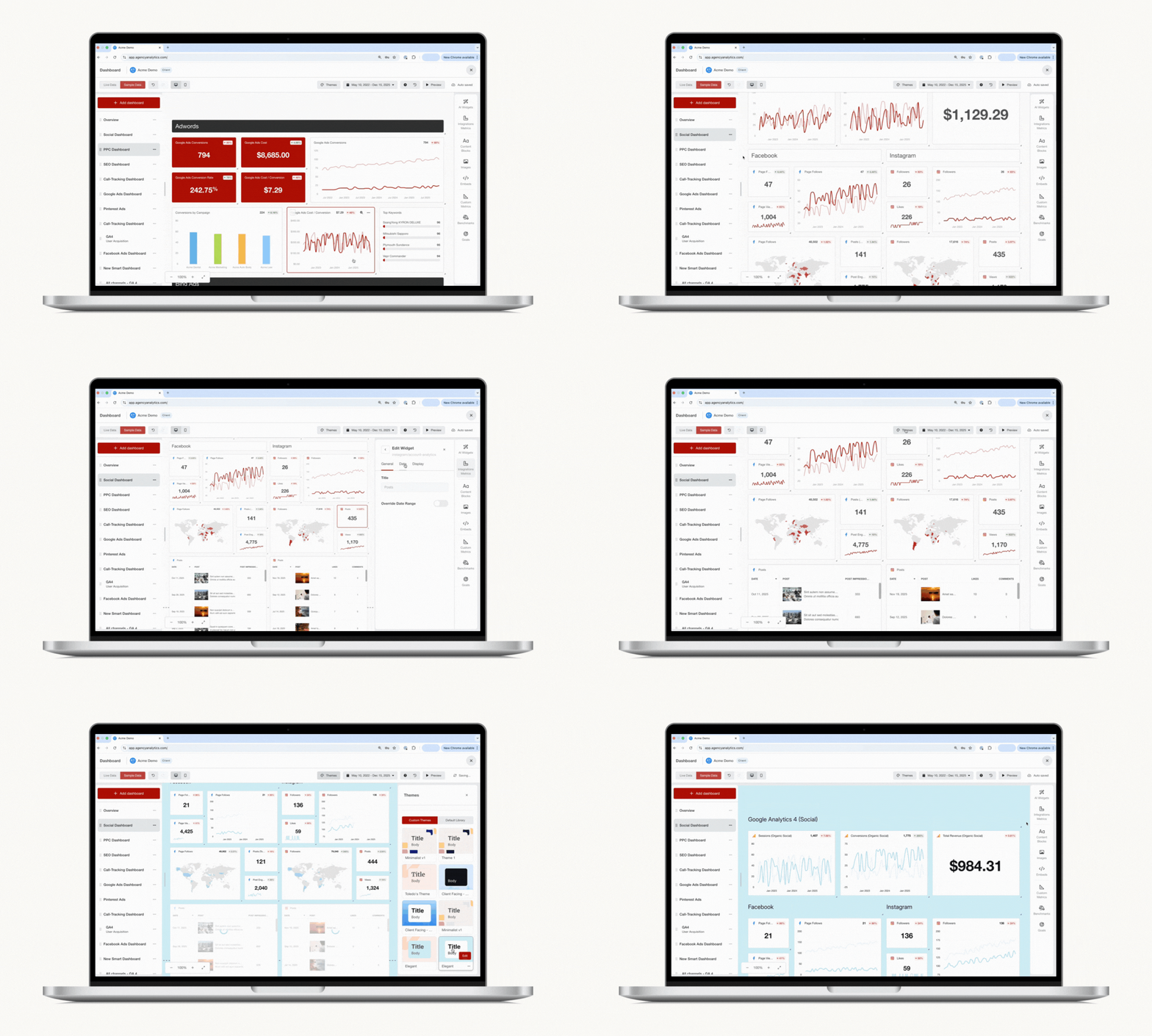
✅ Interactive dashboards with on-page commentary: Tools like AgencyAnalytics let you add annotations, goal tracking, and text commentary directly within the dashboard, and generate then edit AI-powered report summaries in seconds. Clients get both the data and the “so what” in one place.

✅ Video walk-throughs: Use screen recording tools (like Loom or Vidyard) to walk clients through updates in 2–5 minutes. It’s more personal than email and helps explain changes that are too nuanced for a chart.
✅ Messaging app recaps: If you already use a shared Slack or an integrated client messaging platform, try sending short end-of-week wins, goal progress, or heads-ups on anything that needs attention. This keeps clients informed without requiring a full meeting.

During internal engagement research, several agencies reported that async reports improved client relationships by reducing “check-in fatigue”. Meetings became more productive, not necessarily less frequent.
Let async do the heavy lifting on updates, so your live interactions focus on collaboration and planning the next big win. When clients arrive already aware of the key points, you skip the recap and dive straight into problem-solving.
How to run a client report meeting: 5 key steps
Once you’ve figured out your meeting cadence and sent out a recurring calendar invite, what’s next? Here are five key steps to ensure productive meetings, active participation, and fruitful discussions with your clients.
1. Create a meeting agenda
A detailed agenda is the pre-meeting task that does the most for the meeting itself. Arrange each item so it flows from the previous one into the next, and make sure you’ve covered all the critical talking points. Three tips:
Set Time Blocks: Giving each agenda item a set timeframe supports better time management and more productive conversations.
Share in Advance: Sending the meeting’s agenda to all meeting participants ahead of time gets everyone on the same page.
Leave Time for Discussion: Include time at the end to address client questions, circle back to any key points, or work through any strategic planning.
A clear agenda avoids unproductive or redundant conversations, which helps you proactively deal with time pressure at your agency, and every participant knows the key topics you’re there to discuss.
Align your automated reports to the meeting schedule so clients receive a fresh PDF summary a few days beforehand, alongside the agenda. That gives them time to review their marketing metrics at their own pace, note any questions, and arrive ready to discuss what matters most, rather than spending the first part of the meeting catching up.
Keep your agendas and past meeting notes in one place, so you can refer back to a previous agenda and carry forward any discussion points that were not fully addressed.
2. Gather the data
Client reports might focus on overall results or narrow in on a certain project. Be clear on the meeting goals ahead of time so your report is comprehensive and your recommendations are relevant. As you collect data:
Revisit Goals: Go back to the original goals and KPIs you established with your clients at the start of the project, and any that may have come up since then. Use those to guide your data collection.
Select Relevant Metrics: Don’t just copy and paste your last report and update the numbers. Consider whether the same metrics are all still relevant, and whether other metrics would be worth including this time.
Pull Data from Multiple Sources: Gathering data from more than one source helps paint a bigger picture of the performance of your team’s work.
During client meetings, we rely on AgencyAnalytics to review key data pieces, facilitating meaningful discussions and actionable recommendations. By implementing this robust reporting solution, we have significantly reduced the time it takes to report statistics to our clients, allowing us to focus more on analysis, strategy, and driving results.
Alexa Rees, SEO Manager, seoplus+
AgencyAnalytics compiles data from more than 90 marketing platforms, so you can write meeting reports that paint the full picture of your agency’s contributions without wasting billable time manually extracting the numbers. The Smart Reports feature builds a report from scratch in just 11 seconds, pulling the most popular metrics from each integration into a comprehensive, white labeled report.

Want to build customized client reports in 11 seconds flat? AgencyAnalytics puts your client reporting on autopilot, allowing your team to focus on their creative work (and stop wasting billable hours). Try it free for 14 days!
Bring it all under one roof. Preparing for a meeting by juggling dozens of browser tabs is overwhelming for everyone. Instead of jumping between Google Ads, Facebook Ads, SEO tools, and web analytics dashboards, showcase everything in one view. Build custom dashboards around the metrics your clients care about most, whether that’s leads, conversions, or website traffic sources.

Set targets, not just metrics. Establish specific targets, like a certain number of leads per month or a desired cost-per-acquisition, and track progress automatically. Goals give both sides a shared understanding of what success looks like.
Set milestone alerts. Alongside goals and annotations, use milestone alerts to stay on top of progress. If you’re working toward 100 new leads in a month, set weekly alerts at checkpoints like 25%, 50%, and 75%.

If a target looks likely to slip, your team gets a heads-up and can adjust before the month ends. Alerts also become evidence of your effectiveness at renewal time, and mentioning them in an initial pitch demonstrates the ongoing effort behind your promises.
Read More: Perfect Pitch Presentation Tips for Marketing Agency Leaders
Close the vocabulary gap. Not every client will be familiar with the marketing terms and metrics you use. A simple glossary of key metrics, like CTR (Click-Through Rate), CPA (Cost Per Acquisition), or ROAS (Return on Ad Spend), bridges it, and short video walkthroughs of your dashboards let clients learn at their own pace. As they get more comfortable with the metrics, discussions become more strategic and less about deciphering jargon.
3. Compare and contextualize the data
Beyond providing updated numbers, you need to write meeting reports that anchor the data. This is how your agency makes the data meaningful, and really shows the results of your work. Here are some ways to bring context to the data you present:
Track Trends: Demonstrate how the data has changed over time and indicate interventions, milestones, or efforts your agency made that impacted that trajectory.
Compare and Contrast: Analyze the results from different channels, sources, formats, campaigns, or other differentiating factors. Show what’s working well and the pros and cons of various tactics and strategies.
Benchmark: Using historical data, industry data, or competitor data, show how your client’s results stack up in comparison to the set standard.
Contextual data makes for more nuanced discussions and backs up any recommendations your agency makes for future improvements.
For example, rather than sharing the increase in sales on a client’s Shopify store, share the entire journey. Did the Facebook Ads campaign contribute directly to a spike in ecommerce traffic? A reporting meeting is the perfect opportunity to hammer this point home.

4. Use storytelling and visualization
Bring the data to life through storytelling and informative visuals. This emphasizes the details you’re trying to convey and sparks livelier discussions. Here’s how:
Create a Narrative: Develop a story around the data. Position the client as the protagonist and your agency as the trusty guide that helped them overcome their challenges and succeed in achieving their goals.
Leverage Visuals: Use graphs, charts, and infographics to display data in compelling visual formats. Strong data visualization techniques support your narrative development and amplify storytelling.
Simplify Complex Information: Pinpoint the key insights and takeaways that connect with your meeting objectives, and bring the discussion back to those points throughout the meeting.

Call out trends, wins, or areas that need attention directly within the report using report annotations. These subtle cues help clients focus on the metrics that matter most, so they don’t miss critical insights or opportunities.
Visualizations draw attention to positive outcomes and create clarity around trends. Paired with a clear narrative, they make a compelling case for how your agency interprets the results, and what you plan to do with them.
Read More: Must-Have Data Visualization Tools to Transform & Inform Your Insights
5. Share dashboards and reports
Ideally, everyone in the conference room (or on the Microsoft Teams call) will have access to the report being discussed. Sharing reports promotes participation, because everyone has the same information at hand. A few tips:
Automate Reporting: Once you’ve set up your template or 11-second Smart Report and decided on a reporting cadence, automate the scheduling so that clients receive their updates on time, every time.
Share Ahead of Time: When you send the report ahead of the meeting, it supports preparation from everyone. Your clients will have time to review and digest the data, and arrive with meaningful reflections, questions, and ideas.
Provide Dashboard Access: Alongside regular detailed reports, share real-time dashboards. AgencyAnalytics lets you set up customized client dashboards with granular access permissions, so clients track their performance independently, 24/7. Giving them login access to the same dashboard your team uses invites them into the process, and that transparency makes it easier for them to see the value you bring.
Before the call, make sure your dashboards are presentation-ready. Format the charts, confirm everything is up to date, and set the dashboard to presentation mode so you can guide clients smoothly through their metrics. That legwork behind the scenes means your clients’ time isn’t wasted.

Real-time access creates continuity from one meeting to the next, and encourages reflection outside the meeting time.
A meeting structure that works: the IDS format
The best meetings aren’t just well-timed. They’re well-structured. A clear format helps you stay focused and turn conversations into outcomes.

At LeaseMyMarketing, keeping client meetings organized was an early challenge. It’s one thing to show great data, and another to communicate it effectively. The agency now runs a structured agenda built on the IDS format (Identify, Discuss, Solve), which gives every issue a clear route to resolution. Here’s how a meeting runs:
Headlines: Share important updates quickly, like a big spike in conversions or a newly launched campaign, without diving into deep conversation. This sets the tone and captures key talking points right away.
To-Do List Review: Revisit the action items from the last meeting. Completed tasks get checked off, and anything still pending gets a quick status update. If an item needs more discussion, move it down to the IDS section.
Reporting: Present a high-level performance summary that’s easy to understand. Insights and benchmarks highlight wins, identify challenges, and show clients exactly how performance compares to their industry’s standards.
IDS (Identify, Discuss, Solve): The heart of the meeting. Review the issues flagged for deeper conversation. Together with the client, pinpoint the core problem (Identify), explore potential solutions (Discuss), and agree on next steps (Solve). By the end, everyone knows what happens next and who’s responsible.
Conclusion: Recap next steps, confirm new action items and any pain points raised, and set the stage for the next meeting.
Agency Tip: The new Insights features from AgencyAnalytics empower agencies to benchmark client performance against industry standards, identify anomalies in performance, and forecast future trends. Plus, AI Summaries and Ask AI make it easy to quickly surface key information from the reporting period in just a few clicks. These tools save your agency time, while helping to identify the best talking points for your next client meeting.
Wondering how to prepare for a meeting with a potential client? Pull their data ahead of the meeting and use these same tools to truly wow prospective clients with your agency’s knowledge and expertise.
Preparation doesn’t start five minutes before the meeting. Between sessions, account managers dive into the data, look for storytelling opportunities, and sync with service teams and analysts to review results, discuss emerging trends, and highlight key successes. Aligning internally means you present a unified, well-informed perspective, and by the time the meeting starts the IDS portion of the agenda is prepped. Clients appreciate that you’re not just reading numbers off a screen. You’re telling a story about their campaigns: how they’ve grown, where they stand today, and what’s coming next.
Read More: A Therapist-Turned-Agency-Owner’s Guide To Tough Client Conversations
Best practices for better client meetings
We’ve all had the experience of logging off a call and thinking:
“Well, that could have been an email.”
Ideally, clients walk away with post-meeting clarity and a clear path forward. These best practices get you there.
Meet face to face (or use video conferencing)
The meeting location sets the tone. An in-person meeting creates a sense of camaraderie, but when it’s not possible, a video call beats voice-only. Seeing everyone keeps people engaged and allows for the nonverbal communication that supports relationship building.
Example: If you’re meeting with a new client for the first time, hosting them at your agency’s office adds a personal touch. It gives them a chance to peek behind the curtain at your agency’s culture and operations and to meet other team members. This is super powerful for building a sense of trust.
Prioritize talking points that drive insight
Don’t try to cover everything. Effective client meetings focus on what moved the needle, what didn’t, and what that means. Build your talking points around outcomes and opportunities, then open the floor for questions, concerns, or additional ideas.
Leave time for questions, brainstorming, and discussion
Building dedicated discussion time into your agenda creates space for dialogue and shows that your team is eager for your client’s input. It also helps everyone maintain focus, knowing there will be time for clarifications and decision making at the end.
Example: When you’re hosting a report meeting on the initial results from a new campaign, your client will most likely have questions. They might also have feedback or suggestions from other stakeholders who aren’t present, or may want to revisit allocated responsibilities and make adjustments.
Report meetings aren’t just about patting your agency on the back, although that’s a key element. Report on all results, even the ones falling short of targets. Transparency is what builds the connection behind long-term client retention.
Save time for relationship building
The best agencies strike a balance between performance and partnership. Use part of the meeting to reinforce your working relationship, check in on upcoming initiatives, and share small wins that might otherwise get overlooked. That personal touch can be the difference between a transactional meeting and a strategic one.
💡 Agency tip: Practice active listening, stay present in the moment, and make a habit of taking notes. It helps the other person feel heard and shows that you’re aware of their unique goals and priorities.
Prepare questions in advance
Arriving with thoughtful questions shows engagement, and it’s how you lead the discussion. Good questions prepared in advance show that you’re on top of the work and taking ownership of the results.
Example: If you’re noticing a trend in results but you haven’t been able to pinpoint a cause for it, this would be a great opportunity to ask the client about customer feedback they’ve received, any data sources your agency doesn’t have access to, or product concerns you may not be aware of.
Take detailed notes
Detailed meeting minutes keep everyone accountable for what’s been agreed, and they make for better follow up discussions later.
Whether you use meeting note software or designate someone to take notes, document every decision and follow up action. That gives you an official record to build your meeting report from, and to review ahead of the next meeting.
Example: Say a client raises a concern during a report meeting. When your team has clear meeting notes (or better yet, a complete meeting report summary) to review, they’ll be well equipped to revisit the discussion at the next meeting—this time, with results on how they addressed the concern.
End with clear next steps
Wrap up by summarizing key takeaways and assigning next steps on both sides. Whether it’s launching a new campaign, refining ad copy, or getting client feedback on new designs, clarity here prevents follow-up confusion. It keeps everyone aligned heading into the next client meeting.
💡 Agency tip: Want to leave a good impression in every client meeting?
Before your next meeting, take a few minutes to review past performance, update your talking points, and jot down key agenda items. Showing up prepared—not just with data, but with insights—makes a big difference.
Present upsell and cross-sell opportunities
Report meetings are the perfect time to present a pitch. If the results are strong, you’re primed to show what more you’re capable of. When results aren’t so great, analyze what went wrong and present a new approach that draws on those insights. And when you’re wrapping up one project, recommend what’s next.
Example: If your client’s PPC campaigns are performing well, but their organic traffic is lacking, you might pitch ongoing blog post development. Highlighting how some of your other clients are successfully using their blog to drive traffic and convert leads will illustrate the potential benefits, making it an easier sell.
If you run shorter term contracts, reporting meetings are also a chance to extend the relationship past the initial phase. When Simplified SEO’s clients reach the end of their contract, they’re offered a lower cost tier of service more akin to a consultancy rate. The primary benefit? They retain access to their AgencyAnalytics dashboard, so they can keep monitoring the SEO strategy the agency put in motion.
Turn reporting into a two-way conversation
A report without feedback is like running a campaign without conversion data. You can do it, but you’ll always be guessing what actually worked.
Too often, reporting is treated as a one-way deliverable. Data gets compiled, exported, emailed, and that’s the end of it. Clients may skim the email or forward it to someone else, but if there’s no response, the report vanishes into silence. And silence isn’t neutral. It’s a missed opportunity to connect, clarify, and course correct.
Proprietary research on client reporting workflows confirms the pattern: most clients receive reports via email and prefer clear, concise summaries; however, follow-up questions or feedback are rare unless the agency initiates a check-in. And over time? Passive reporting leads to active churn.
Why feedback makes your reports better, and your agency stickier
Clients stop engaging not because they don’t care, but because the reporting doesn’t feel relevant to their evolving goals. Inviting feedback gives them a seat at the table, which turns reports from static deliverables into relationship tools.
The same research shows that agencies often don’t hear from clients unless they proactively ask for input. Some offer feedback through embedded comments or live review sessions, but most engagement only happens when the agency creates the opportunity for it.
When clients feel like their voice shapes the reporting process, engagement rises, and so does retention. A small change, such as reordering sections based on a client’s preferred KPIs, can have a significant impact. One agency, after hearing that clients felt overwhelmed by too much data, implemented goal-based reporting that highlights only the key metrics aligned with client objectives.

Easily build goal-based tracking for clients with AgencyAnalytics. Get started with a 14-day free trial!
Collaboration builds commitment
When clients engage with a report by asking questions, requesting changes, or suggesting a new visualization, it’s a signal of trust. They’re shaping the narrative alongside your team, which builds ownership and alignment.

That participation deepens buy-in. Agencies that make space for client input, whether through custom KPIs, strategic annotations, or live report walkthroughs, consistently build longer-lasting partnerships. Collaboration turns vague expectations into specific reporting priorities, and gives you a clearer view of what success looks like from the client’s perspective.
Customization also sets you apart from competitors who rely on rigid, one-size-fits-all reports. Internal research shows clients are far more likely to stay engaged when reports evolve with them.
Collaboration isn’t always formal, either. Sometimes it starts with a simple comment: “I don’t look at that metric,” or “Can we move this section to the top?”

Those small moments often lead to significant shifts in how reports are structured and how valuable the relationship feels to the client.
Many digital marketers get carried away looking too deep into the data and spend hours creating a report. Some clients only care about how many times the phone has rung or where they appear on Google.
You can save yourself hours just by asking a client what they want to see on a report.
Guy Hudson, Founder, Bespoke Marketing Plans
It’s a simple idea: ask what matters, move those metrics to the top of the report, and personalize the executive summary to reflect the client’s goals. Yet many agencies deliver reports based on their own internal structure instead. Don’t assume silence means satisfaction, either. After sending a report, follow up with a quick check-in: “Did this hit the mark? Is there anything you’d like added or removed?”
These aren’t hypothetical stories. Clients who once skimmed one agency’s reports began showing up to meetings with follow-up questions and new goals once the format changed. Another agency added one question to onboarding, asking each client what success looks like in their eyes, and it reshaped how the reports were built and what conversations followed.
When clients see their feedback reflected in the reporting, they’re more likely to feel heard and view your agency as a strategic partner rather than a vendor.
Tools and touchpoints to spark ongoing conversations
Collaboration isn’t only about the report. It’s about building in ways to talk about it. Start with a shared expectation: When and how will reports be reviewed together?
Internal research shows agencies that schedule consistent strategy calls, even short ones, see higher client satisfaction and stronger long-term engagement. A 30-minute call each month or a quick check-in after key milestones opens the door to questions, clarification, and coaching.
To supplement meetings, agencies also collect feedback more formally using tools like:
Google Forms: Simple and free for lightweight feedback after report delivery
Typeform: More visual and engaging; great for collecting structured responses from clients
SurveyMonkey: Ideal for gathering client sentiment or identifying reporting blind spots over time
Tally: A minimal, no-fuss form builder with a clean UI
Jotform: Great for more customized or branded client feedback forms
Loom: Record quick video walkthroughs and invite client replies with questions or feedback
But it doesn’t always need to be a formal request. Some of the best feedback comes when clients can respond in real time. That’s where **Integrated Messaging** comes in, making it easy to exchange messages directly within the platform, right next to the report itself.

No more digging through emails or jumping into Slack. It’s context-rich, easy to track, and puts the conversation exactly where it needs to be. Use it to pop an “Any questions?” message when the report is opened, which surfaces confusion while the information is fresh.
Then keep asking. Don’t wait for quarterly reviews to check whether the report still fits: use monthly check-ins to ask “Is this still the best way to track progress for you?” and whether the current KPIs still reflect what the client values. As their business evolves, so do their priorities. The goal isn’t more meetings. It’s more meaningful moments of alignment.
After the meeting: follow up and follow through
Client communication doesn’t end when the meeting’s over. Following up keeps the conversation going and further entrenches the relationship.
Send a recap within 24–48 hours. A concise summary of what was discussed and decided, including any solutions identified during IDS, the updated to-do list, and next steps with assigned responsibilities, ensures no detail slips through the cracks.
Track every action item. Enter each action item into your project management software with clear assignees and due dates, so tasks aren’t forgotten once the call ends.

Follow up on feedback and concerns. This is where those meeting minutes come in handy. Review your report from the last client discussion ahead of the upcoming one, then show your client how you’ve implemented follow up actions or addressed their concerns, and the results you’ve seen so far.
Example: Say you’ve already had a report meeting on the initial results of a new campaign. During that meeting, your client shared some feedback on the tactics your team implemented. The next report meeting is a great time to bring up the feedback and share how you’ve incorporated into your optimizations, showcasing your team’s attention to detail and dedication to continuous improvement.

Track goals and add annotations to visually demonstrate how prior concerns have been addressed, and client feedback has been incorporated since your last meeting. Try AgencyAnalytics free for 14 days!
Survey the process itself. Periodically invite clients to share feedback on your meeting process and reporting methods. Are the dashboards clear and intuitive? Are the agenda and follow-up processes working well? Even a short survey highlights areas to improve. Then act on it: if clients suggest new KPIs, a different cadence, or a more visual representation of data, evaluate the idea and implement it where it fits.
Read More: Client Breakups: How to Conduct a Client Exit Interview
Address underperformance promptly. If performance is lagging behind established milestones, raise it. Discuss potential reasons with the client, consider adjustments, and agree on how to course-correct. Proactively communicating challenges is how you build client trust and demonstrate adaptability.
Forecast risk and opportunity. Don’t just react to data. Anticipate changes. Whether it’s holiday season marketing trends, upcoming regulatory shifts, or emerging ad platforms, work with clients to understand potential impacts and plan accordingly. Preparation prevents a lot of headaches, but it’s impossible to avoid every risk in managing a client’s marketing, so agree in advance how you’ll handle the unexpected.

Keep the channels open between meetings. Brief email updates or quick client messages highlighting significant changes or completed tasks mean clients don’t have to wait for the next meeting to know what’s happening. That communication also informs the conversation at the next meeting.
Tools and technology to automate the process
There are plenty of tools available to support your agency’s reporting and client meeting processes. Here are a few to consider:
Set up Automations in Outlook or Google Calendar: For example, have your Google Calendar automatically create a recurring meeting invite for report meetings with a client.
Automate Meeting Minutes: Use a meeting notes software to automatically record meeting minutes and generate a meeting report with all the details you covered and action items you set.
Implement a Complete Reporting Solution: Automate your agency’s client reporting, assign tasks to individual team members, track goals, and stop wasting time manually pulling data from disparate platforms. Join more than 7,000 marketing agencies using AgencyAnalytics to clearly demonstrate ROI to clients and optimize client reporting meetings. Try it free for 14 days!
With AgencyAnalytics, we create reports and templates very quickly for clients so that when it comes time for the meeting, everything is ready and will be ready for each meeting moving forward. We are able to integrate so many other things that will help the client get excited about certain results that we were not able to report on in the past because it was too time-consuming to do so!
Janeene High, CEO, Results Driven Marketing
Get more from your reporting meetings
Seize these moments to do more than go over the numbers. If you stop there, then your meeting really could have been an email.
Use the time to dig into trends, compare against benchmarks, and discuss solutions to the challenges your clients are facing. Each meeting then works like a fresh discovery call, a way of regaining buy-in again and again.

None of this is about canceling your next meeting. It’s about finding the right balance so every interaction serves the relationship. When your async updates are clear and contextual, your live meetings stay focused on the key objectives: making decisions, aligning on strategy, and building trust on a personal level.
Most people don’t want to sit through a conference room replay of a digital marketing dashboard. They want to feel heard, and to know you’re aligned with their goals. The best client meetings don’t just check in. They check progress, clarify priorities, and move things forward.
Reports show the work. Collaboration shows that you’re listening. So set clear agendas, take notes, ask the follow-up questions, and when it’s time, let the client have the floor. Effective client communication isn’t measured by the number of meetings you hold. It’s measured by whether they help your clients understand, achieve, and succeed.

Automated Client Reports, Ready in Just a Few Clicks
Kyra Evans is the Manager of Content Marketing at AgencyAnalytics. She has over 15 years of experience writing content for SaaS, tech, and finance brands. Her work has been featured by HuffPost and CBC, and she serves an engaged social media readership of over 30,000 community members.
Read more posts by Kyra EvansWhat other agency experts are reading

20 agency client reporting tips that prove value & improve retention
Access 20 simple, real-world tactics to improve client engagement with reports—so the work behind them drives action instead of getting skipped.

How To Level Up Your Agency-Client Discovery Meetings
A well-honed client discovery session is your chance to learn everything you need to know about your prospects and land more clients that are the right fit for your agency. Read on to discover tips straight from our B2B SaaS sales playbook to apply directly to your agency.

The official marketing reporting guide: Best KPIs, templates, tools & strategies for 2026
Discover the best marketing reporting tools, templates, KPIs and strategies and learn how to master marketing reporting.