20+ dashboard examples to inspire your client reporting


Table of Contents
- Key takeaways
- Benefits of dashboards for data analysis and client reporting
- The five features of an effective reporting dashboard
- Multi-channel dashboard examples
- Platform-specific dashboard examples
- How to choose the right dashboard for your agency
- Frequently asked questions about dashboards and client reporting
7,000+ agencies have ditched manual reports. You can too.
Free 14-Day TrialTable of Contents
- Key takeaways
- Benefits of dashboards for data analysis and client reporting
- The five features of an effective reporting dashboard
- Multi-channel dashboard examples
- Platform-specific dashboard examples
- How to choose the right dashboard for your agency
- Frequently asked questions about dashboards and client reporting
7,000+ agencies have ditched manual reports. You can too.
Free 14-Day TrialManaging multiple client campaigns means keeping track of key performance indicators, organizing data, and making sure every report is easy to understand. It's a lot to handle, and if you've ever wondered whether there's a way to make client reporting and data analysis more manageable, you're not alone.
Dashboards fix that. Instead of piecing reports together by hand, you get a real-time, bird's-eye view of performance with every metric in one place. Used well, a dashboard is a window into your client's business — one clear enough to act on and hard to ignore. That clarity leads to better strategy and faster decisions for both your team and your clients.
This guide walks through more than 20 dashboard examples designed to improve client reporting and data analysis, plus the features to look for and how to choose the right one for each client.
Key takeaways
A dashboard pulls every client metric into one live view, so you spend less time compiling reports and more time on strategy.
Dashboards update in real time — unlike static reports, they let you spot trends and adjust campaigns as the data comes in.
The strongest reporting dashboards share five features: third-party integrations, customization, real-time data, easy navigation, and AI-assisted insights.
AgencyAnalytics includes over 85 integrations and ready-made templates for multi-channel and platform-specific reporting, from SEO to ecommerce.
Match the dashboard to its audience and keep it to a handful of KPIs — most agencies track 1 to 5 per client — so clients see what matters without the clutter.
Benefits of dashboards for data analysis and client reporting
Dashboards are the backbone of modern analytics reporting. They consolidate metrics, visualize results, and turn complex data into something clients can actually use. A well-built reporting dashboard gives a quick review of marketing efforts while highlighting where to optimize.

The 2025 Marketing Agency Benchmarks Report found that while clients prefer to read their campaign data as a report, agencies would rather access their data internally via a custom dashboard.

Here's why so many agencies prefer them:
Save time on reporting. No more manually compiling spreadsheets or juggling multiple reports. Dashboards consolidate everything into one view, making client reporting faster, easier, and more professional.
Make data-driven decisions. With live data dashboard data at your fingertips, you can adjust campaigns on the fly, optimize budgets, and back recommendations with evidence.
Track ROI and prove value. Dashboards demonstrate campaign performance, highlight successes, and show your impact on business growth.
Spot opportunities and issues early. Real-time analysis surfaces trends and underperforming campaigns so clients can act before it's too late.
Personalize reporting for each client. Custom dashboards showcase the metrics that matter most to each client, reinforcing your expertise and strengthening the relationship.
Client dashboards and custom metrics are extremely valuable. We save a lot of time each month by sharing a dashboard where our clients can regularly check in and see status updates from our team. The ability to add custom metrics also makes things easier for us to aggregate KPIs across different channels.
Brian Lozano, Vice President of Operations, Ad-Apt
By automating manual work and offering interactive metrics dashboards, agencies focus on delivering insights instead of getting bogged down in inefficient reporting.
Dashboards vs. reports: which to use
A dashboard isn't just a prettier report. Dashboards are built for real-time visibility and ongoing monitoring, while reports are snapshots in time, usually shared on a schedule. Both have their place — but for a busy agency juggling dozens of clients, a dashboard reduces time spent on reporting while making it easier to spot trends, answer questions on the fly, and surface the wins that matter.
Agency Tip: Turn on Anomaly Detection for any compatible widget within the AgencyAnalytics platform. This helps agencies instantly identify and analyze unexpected performance trends.
Live data and real-time performance monitoring
One of the biggest advantages of a dashboard is live data. Performance monitoring no longer depends on waiting for end-of-month reports; key metrics update automatically, giving you a snapshot of how campaigns are performing at any moment. As data flows in, your team sees which campaigns perform best and where adjustments will have the biggest impact — a faster, smarter way to support data-driven decisions.
This matters most when data is scattered. Without a dashboard, marketers get stuck toggling between platforms, triple-checking spreadsheets, and relying on outdated numbers — an approach that's error-prone and hard to scale. A dashboard keeps live, accurate data in one place, ready for internal reviews, client meetings, or last-minute requests.
A client's active campaign dashboard and final report showcase our work. It's important that we present campaign metrics accurately in an easy-to-digest format. That way, we easily identify campaign optimizations, whether in real-time or as a takeaway for future campaigns.
Ashlee Brown, Campaign Performance Manager, i76 Solutions
Keep every KPI front and center
Data dashboards keep every KPI in view — conversions, engagement, ad spend, or SEO visibility. By focusing on what matters most, you quickly identify which campaigns drive progress toward business goals and which need work. Clients easily understand how their investment is paying off, and your team makes decisions powered by data, not guesswork.

The five features of an effective reporting dashboard
An effective reporting dashboard does more than gather data — it helps you make sense of it. The best ones balance intelligence with simplicity: they show performance clearly, adapt to each client's needs, and let you move quickly across data points. These five features set the foundation.
1. Integration with third-party tools
Whether you're pulling data from Google Analytics, Facebook Ads, or a CRM, integrating with third-party tools means no manual imports and no broken Excel formulas. Collecting it automatically gives you a complete view in one place — essential for tracking a client's full marketing and sales performance.

To connect a source, log in to AgencyAnalytics, open the "Integrations" section from the left-hand menu, select a platform from the list, and follow the prompts to link your client's account. Repeat for any additional integrations. That's all there is to it.
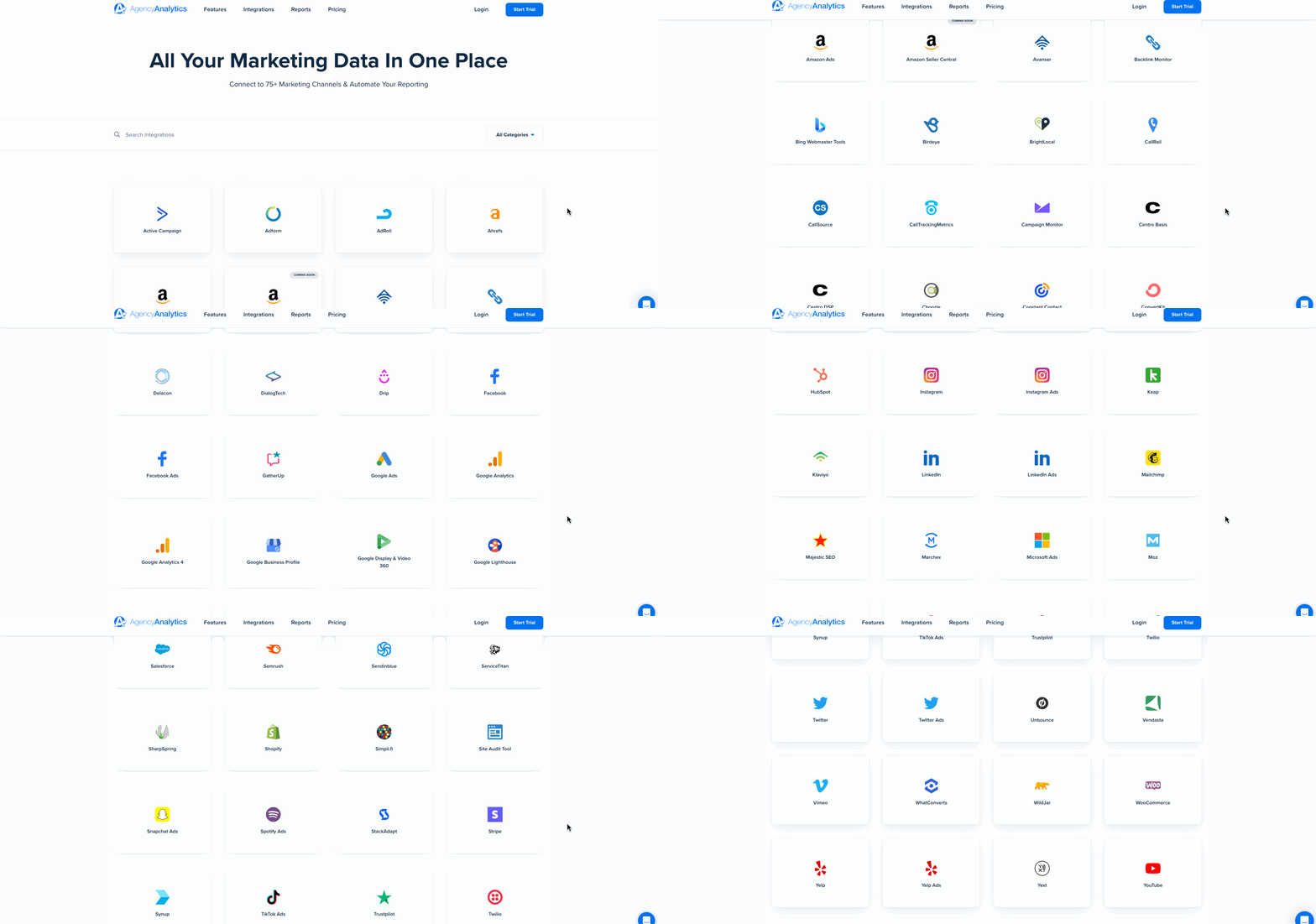
Browse the over 85 data connectors included with every AgencyAnalytics plan.
2. Customization to meet client needs
No two agencies or clients are the same, so a good dashboard adapts. From branding and layout to color palette and KPI selection, customization keeps every client dashboard aligned with their strategy and reporting style.

Every AgencyAnalytics dashboard is fully customizable. A few ways to make it your own:
Rearrange widgets with the drag-and-drop editor to highlight priority metrics for each client.
Apply white labeling so reports carry your agency's logo and colors — clients appreciate reports that look like they came straight from their own team.
Create custom metrics that combine data points with formulas reflecting each client's unique KPIs.
Track goals visually with goal widgets that show progress toward targets.
Add annotations to explain trends or call out wins directly in the dashboard.
Add external data — the Google Sheets integration lets you import budget forecasts or internal targets and display them alongside live metrics.
Tailor dashboards to the audience, too. Give leadership a clear view of trends and big-picture performance, and give your teams the granular detail they need to act.
Impress clients and save hours with custom, automated reporting.
Join 7,000+ agencies that create reports in minutes instead of hours using AgencyAnalytics. Get started for free. No credit card required.

3. Real-time reporting capabilities
Unlike static reports or spreadsheets, which are slow to update and hard to interpret, modern dashboard software pulls data from multiple sources for up-to-the-minute insights. That means you move beyond hindsight and improve performance as it happens — especially valuable with local businesses, where a dashboard can track foot traffic, ad performance, email engagement, and social growth all in one view.

These dashboards give our clients real-time access to their data and allow them to see how their campaigns are performing at any given time. This has helped us to build trust with our clients and to improve our communication with them.
Ben Paine, Managing Director, Digital Nomads HQ
4. User-friendly design for agencies and clients
Dashboards should be beautiful and functional. Clean design, easy navigation, and intuitive drag-and-drop editing make metrics simple to explore, while visual consistency and clear color palettes guide focus so users find meaning, not clutter. A clean interface means even clients with little technical expertise can log in and instantly see how their campaigns are performing.
As data-visualization pioneer Edward Tufte put it, "Good design is clear thinking made visible." Show a client a simple line graph with a dramatic uptick and the story of growth becomes impossible to ignore. Present results in a way that's tied directly to their business, and visual clarity becomes a client-retention strategy of its own.

5. AI tools for instant insights
A dashboard with AI reporting tools makes analysis even easier. By analyzing trends automatically, AI surfaces insights your team might miss and recommends optimizations across channels — like having an analyst working behind the scenes, so you spend more time on strategy and creative execution.

Want to see how AI insights improve your agency’s campaign management and reporting? Try AgencyAnalytics free for 14 days!
To help you get started, here are more than 85 dashboard examples available on every AgencyAnalytics plan. These dashboard templates take agencies from data chaos to professional client reports in minutes, not hours.
Multi-channel dashboard examples
A multi-channel dashboard brings all of a client's key metrics into one place, giving a clear view across platforms — from social media to SEO — in real time. Below are some of the best marketing dashboards to optimize performance across every channel.
Digital marketing dashboard
When clients run campaigns across multiple channels, performance gets messy fast. The digital marketing dashboard brings SEO, PPC, social, email, and web analytics into one unified marketing analytics view. It makes it easier to monitor metrics like cost per acquisition, ROI by channel, and traffic trends — then drill into campaign performance or zoom out for a high-level summary. Instead of juggling separate reports, clients see how each channel contributes to broader goals.

Sending regular client reports? Use the AI summary feature in AgencyAnalytics to turn raw data into clear, client-friendly insights in minutes — no overthinking the narrative or rewriting the same update twice.

Social media dashboard
Social media moves fast, and clients expect clear answers about what's working. The social media dashboard centralizes KPIs from Facebook, Instagram, LinkedIn, and TikTok into one view. Track engagement rate, reach, follower growth, and conversion rates by channel and timeframe, and compare organic and paid metrics side by side. With everything centralized, clients see trends across platforms without jumping between logins.

Give clients their own login to a live social media dashboard so they can check in anytime without asking for an update. Want to keep campaign work or internal notes private? You control exactly what they see.

SEO dashboard
SEO reporting tends to get buried in spreadsheets and slide decks. The SEO dashboard combines keyword rankings, organic traffic, backlinks, and site health in one view. Use it to show how rankings are shifting, which pages drive the most traffic, and where a technical SEO site audit might be needed. Layer in Google Search Console and third-party tools like Semrush to give clients a full picture, with visuals that make the long game of SEO easy to understand and stick with.

PPC dashboard
The PPC dashboard focuses on paid search, with live updates on cost-per-click, ad spend, CTR, and conversions. It enables quick optimization and smarter budget allocation — essential for clients focused on performance marketing.

SEM dashboard
A search engine marketing (SEM) dashboard combines paid and organic search data for a more complete view of search visibility. By merging insights from multiple channels, you identify how each campaign contributes to the overall funnel, pulling SEM performance metrics from multiple sources into one place.

Email marketing dashboard
The email marketing dashboard monitors key metrics from platforms like ConstantContact, Mailchimp, Drip, and Klaviyo. Track open rates, click-through rates, and other critical email KPIs to see how campaigns are doing and where to adjust for better results.

Ecommerce dashboard
Online stores generate a ton of data — orders, revenue, average order value, conversion rates, and cart abandonment. The ecommerce dashboard pulls those into one real-time view, syncing directly with Shopify and WooCommerce. Instead of jumping between ecommerce and analytics tools, you get a clear link between marketing activity and sales. It gives clients something they rarely get: context — not just what sold, but why, and what levers to pull next.

Local SEO dashboard
The local SEO dashboard tracks visibility and engagement for location-based businesses. It integrates data from Google Business Profile, Maps, and local citation sources to show how often customers find and interact with a client's listings. Use it to monitor keyword rankings, customer reviews, and calls — everything you need for stronger local search performance.

Link-building dashboard
The link-building dashboard visualizes backlinks, referring domains, and domain authority trends in a single, easy-to-read layout. It's ideal for SEO teams managing outreach — monitor anchor text distribution, new vs. lost links, and link quality at a glance.

Client dashboard
A client dashboard brings everything together for a unified, client-facing reporting experience. It consolidates cross-channel KPIs — SEO, PPC, social, and email — into one interactive hub, so you enhance transparency, strengthen relationships, and showcase performance clearly.

But what if your agency focuses on one platform at a time? That's where platform-specific dashboards come in.
Platform-specific dashboard examples
Platform-specific dashboards let you go deep. Each highlights the metrics unique to a platform, giving your team granular insight into campaign performance. Here's a look at the most popular ones and how they help.
Google Analytics and web analytics dashboard
The Google Analytics dashboard gives a complete view of site traffic, engagement, and conversion performance, pulling in data from Google Analytics to highlight sessions, bounce rates, average time on page, top-performing pages, and goal completions. Filter by traffic source or device to spot where users drop off and where to double down — turning abstract web traffic into a clear story about user behavior.

Facebook dashboard
The Facebook dashboard pulls reach, impressions, engagement, conversions, and ad spend into a clear summary. Use it to identify top-performing creatives, monitor cost trends, and back recommendations with real data — especially useful during A/B testing or when running organic and paid content side by side. With one login, clients see everything without switching between Ads Manager and Business Suite.

Instagram dashboard
An Instagram dashboard tracks profile performance, including engagement rates, follower growth, and the success of Stories and posts. It's ideal for seeing what content resonates, perfecting the balance between content types, and maintaining a cohesive aesthetic.

Facebook Ads dashboard
The Facebook Ads dashboard monitors ad performance — impressions, click-through rates, and cost-per-click — so you track ad spend across campaigns and optimize for better ROI.

Google Ads dashboard
Google Ads offers no shortage of data, and between Search, Display, and YouTube campaigns it's easy for clients to feel buried. The Google Ads dashboard organizes the chaos, surfacing the KPIs that matter most — impressions, clicks, conversions, cost per conversion, and ROAS. Instead of toggling between views, you get one client-ready layout that frames conversations around what's working and how to maximize ad spend.

Shopify dashboard
The Shopify dashboard focuses on ecommerce performance, pulling in sales data, order volume, and customer insights to help you spot trends, measure financial performance, and plan for revenue growth.

HubSpot dashboard
A custom HubSpot dashboard gives a complete view of a client's inbound marketing. From email campaigns to website leads, it helps you manage multiple parts of the marketing funnel in one place.

Google Business Profile dashboard
The Google Business Profile dashboard tracks local search performance — searches, views, and actions like calls or directions — helping you improve local SEO by showing how well a client's profile drives engagement.

Google Search Console dashboard
The Google Search Console dashboard focuses on search performance, tracking keyword rankings, crawl issues, and impressions so you can fix problems that hurt SEO and improve overall visibility.

Keyword ranking dashboard
A keyword rank tracker is essential for SEO-focused clients. It tracks keyword positions in search, giving a clear view of which keywords are rising or falling so you can adjust strategy and improve organic search visibility.

Stripe dashboard
The Stripe dashboard tracks online payment activity, showing revenue, refunds, and transaction volume for a quick view of a client's financial health and cash flow.

YouTube dashboard
The YouTube dashboard monitors video performance — views, watch time, and subscriber growth — a great way to track engagement and optimize video content for better reach.

Don't see the platform you're looking for? There are over 85 integrations included with AgencyAnalytics. From Active Campaign to ConstantContact to HighLevel and Yext, you'll find a prebuilt, professional dashboard template to streamline your client reporting.
How to choose the right dashboard for your agency
Choosing the right dashboard starts with clarity — understanding your clients' priorities, your team's workflow, and the level of insight each campaign needs. A great dashboard strikes the balance between depth and simplicity: enough data to drive decisions, but streamlined enough for quick reviews and meaningful conversations.
The four types of dashboards
From high-level strategy to daily operations, the right dashboard makes key data points work for you. These are the four types agencies turn to most:
Analytical dashboards dig into historical data to uncover trends, compare metrics over time, and inform decisions that optimize client strategies.
Strategic dashboards are high-level views for leadership and decision-makers, focused on overall business goals and long-term performance.
Operational dashboards monitor day-to-day activities and campaign execution in real time, alerting you to issues or opportunities as they happen — ideal for agencies managing many clients or local campaigns.
Tactical dashboards bridge daily operations and strategic goals, helping you plan short-term campaigns and adjust tactics quickly based on current performance.
Agency tip: Before you build a data analytics dashboard, ask yourself one question: What action should this data drive? If the answer isn’t clear, the dashboard needs simplifying.
Once our dashboards and reports are built, no further changes are needed unless requested by the clients. New client dashboards can be quickly built using a template and then minor adjustments can be made to tailor them more specifically to that client's needs. The only thing we have to spend time on is providing our own analysis and takeaways from the data, and again, that's easy to do within AgencyAnalytics.
Matthew Regenie, CEO, Prospect Future
Understand your clients' needs and priorities
Before choosing a template, step back and identify what your clients truly value. Are they focused on conversions, audience growth, or visibility? Knowing this helps you align KPIs and choose dashboards that visualize the metrics that matter most. Pick metrics that match the client's goals — if the goal is lead generation, highlight conversion rates, form completions, and cost per lead, not generic web traffic. Add filters for date ranges and comparisons (month-over-month, year-over-year) so trends are easy to spot.
Balance detailed insights with simplicity
Dashboards should simplify, not overwhelm. Focus on a core set of KPIs that give a complete yet clear picture. According to the 2024 Marketing Agency Management Benchmarks Report, most agencies focus on 1 to 5 KPIs per client — enough to demonstrate progress while keeping the dashboard easy to interpret.

The key is a balance where you get detailed insights but everything stays easy to understand. Highlight the most important metrics, and let clients dig deeper only when they need to.
Customize by industry or campaign type
Every industry has its own success signals. Ecommerce clients may focus on cart value and product performance, while service-based businesses prioritize leads or call volume. Custom templates let you filter metrics, adjust layouts, and match visual design to client needs — all while keeping the reporting experience consistent and on-brand.

Build your dashboard
You don't need a developer to create a dashboard — you need the right tool. In AgencyAnalytics, you have three ways to get up and running:
Start from scratch by building a custom dashboard one widget at a time — ideal when a client has unique KPIs or a specific reporting structure.
Use a pre-built template from the template library covering SEO, PPC, social media, email, and more — a fast option when you need a solid framework.
Generate a Smart Dashboard and let AgencyAnalytics auto-build one from your client's connected integrations. It pulls in key metrics by default and takes only 11 seconds.
AgencyAnalytics’ interface is visually appealing and incredibly simple to navigate, allowing even the most non-technical team members to create comprehensive dashboards in no time. It presents essential metrics at a glance, ensuring that our clients will easily understand the results of our marketing efforts.
Alex Faiers, Founding Director, Addictivity
Plan for scale
As your agency expands, you'll need a platform that grows with you — one that makes it easy to add new clients, integrate more data sources, and handle growing reporting needs. Done right, dashboards evolve from individual reports into a living system of analytics that fuels smarter strategy, better collaboration, and greater efficiency across teams.
Client reporting doesn't need to be a time-suck or a source of stress. With the right dashboards in place, you shift from reactive reporting to proactive conversations: you show clients the metrics that matter, explain performance with context, and keep everything in one clean, visual workspace. And when your agency looks organized, strategic, and in control, clients notice.
Impress clients and save hours with custom, automated reporting.
Join 7,000+ agencies that create reports in under 30 minutes per client using AgencyAnalytics. Get started for free. No credit card required.
Already have an account?
Log inFrequently asked questions about dashboards and client reporting
Learn how to use these dashboard examples to turn your data into clear, actionable insights that impress clients and drive strategy.
A great client dashboard organizes complex data into visual insights that clients can interpret in seconds. It uses data visualizations like bar charts, trend lines, and color-coded KPIs to show progress at a glance. Beyond numbers, it connects results to business goals—helping clients understand how each campaign drives measurable outcomes.
The best dashboard examples also feature interactive widgets, filters, and branding options that make data storytelling simple, professional, and client-focused.
Dashboards simplify analysis by turning fragmented information into one cohesive, data-driven picture. When all metrics—traffic, ad spend, conversions, and engagement—are unified, agencies gain a bird’s-eye view of performance.
This holistic perspective helps identify opportunities, fix inefficiencies, and make faster decisions. With customizable layouts and automatic updates, dashboards become a living part of your agency’s strategy, empowering data-driven decision making across every campaign.
An analytics dashboard is typically designed for internal visibility—it helps agency teams track performance, productivity, and ROI across multiple clients.
A client reporting dashboard, on the other hand, translates that data into visual summaries clients understand instantly. It’s less about operational detail and more about demonstrating value.
AgencyAnalytics bridges both needs by offering dashboards that provide the internal depth teams need and the clarity clients expect.
Dashboard examples and templates streamline setup by giving agencies pre-built structures for popular use cases—SEO, PPC, social media, and ecommerce. Instead of creating reports from scratch, teams simply select a template, connect data sources, and customize visuals.
This approach saves hours of manual work per client, ensuring data consistency and faster delivery. With editable templates, you get flexibility and speed, turning client reporting into a scalable, repeatable process that supports growth.
Data visualization turns raw data into stories that make sense. Using clean design principles and consistent color palettes, dashboards translate complex metrics into intuitive visuals that encourage exploration and understanding.
Charts, graphs, and comparison widgets help agencies show progress over time and highlight key wins. Effective visual storytelling ensures that both agencies and clients see performance clearly—and take action confidently.
Paul Stainton is a digital marketing leader with extensive experience creating brand value through digital transformation, eCommerce strategies, brand strategy, and go-to-market execution.
Read more posts by Paul StaintonWhat other agency experts are reading

Dashboard vs. Report: Which Is Better For Clients?
Both dashboards and reports deliver valuable information to clients, but they differ in their approach, format, and functionalities. Here’s how to choose the best option.


How to build a data analytics dashboard: Step-by-step
Learn how to build a data analytics dashboard that saves time, simplifies reporting, and shows clients exactly what’s working—plus real examples to get started fast.