Adform Reporting Integration
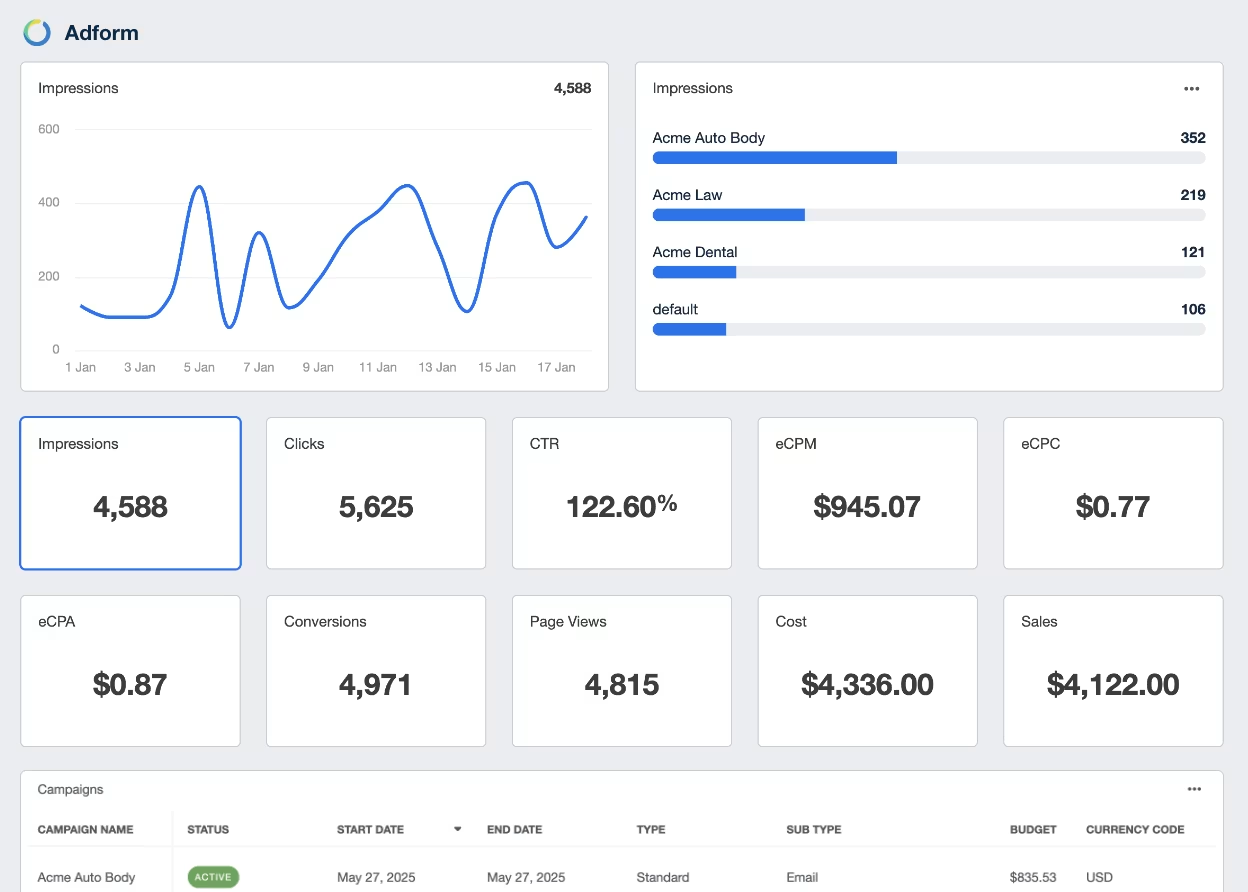
Bring Adform data into focus
Transform complex metrics into clear, client-friendly reports that reveal what’s working and where to improve.
Track Campaigns
Report on Campaign Performance
Manage Costs
Stay On Budgets
Automated Tracking & Reporting for Digital Advertising
Your clients want to see the return they’re getting on their digital ad spend. Make it easy for them to see the value your agency is delivering. Send clear, beautifully designed Adform reports that demonstrate how your team is translating their spend into conversions and growth.

Explore All Available Adform Metrics
- Advertiser ID
- Af Campaign ID
- Avg Engagement Time
- Avg Frequency
- Campaign Name
- Clicks
- Conversions
- Cost
- CTR
- Date
- Ecpa
- Ecpc
- Ecpm
- Impressions
- Sales
- Video Complete Count
- Video Completion Rate
- Views
Key Digital Advertising Insights
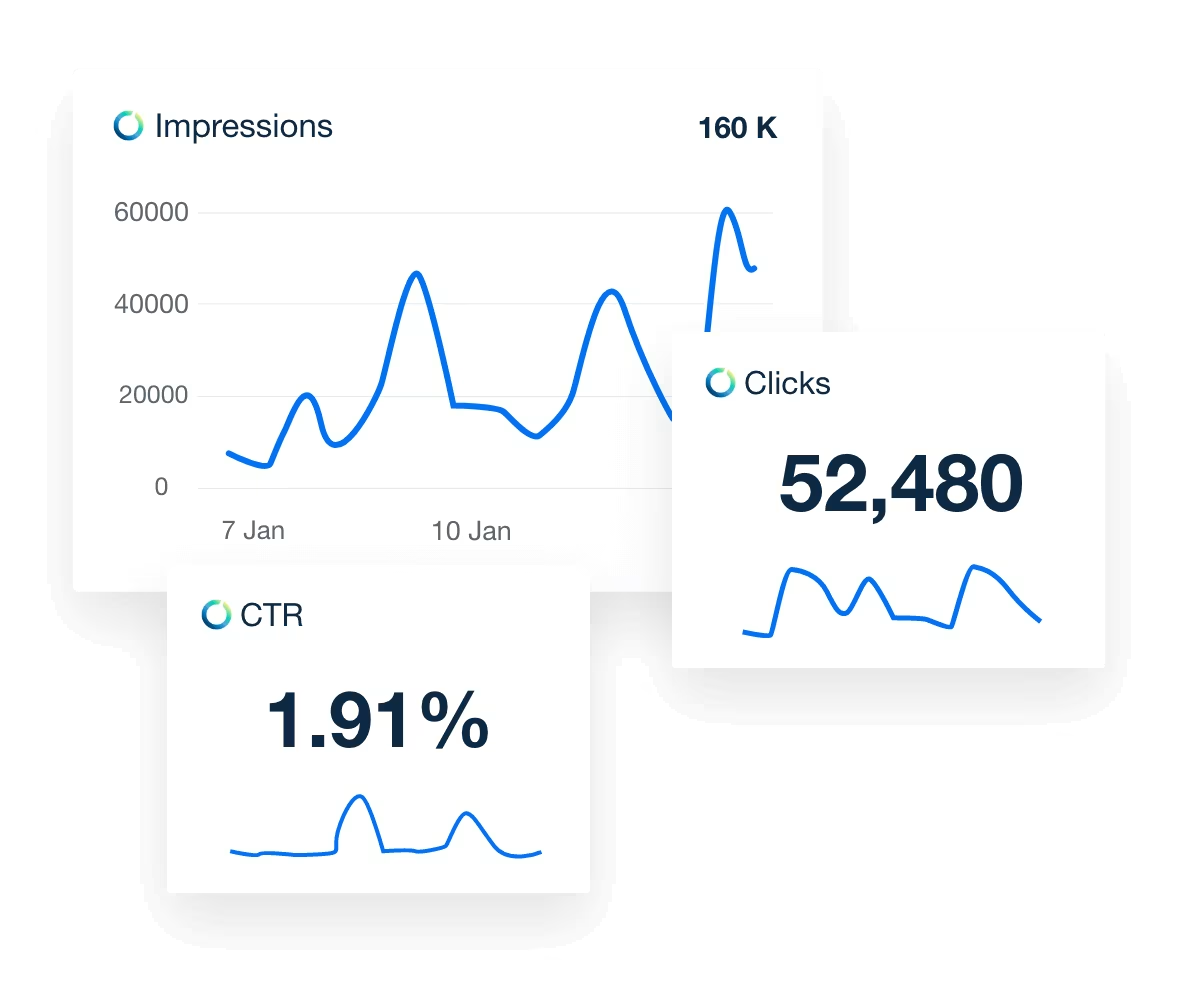
Monitor and manage the performance of your client’s ad campaigns with clear data visualizations. Automatically track the impressions, clicks, conversions, and more in real time and over time. Gain the insights you need to buy with precision and maximize results. Display those results in ways your clients will understand and appreciate.
Confirm You’re Hitting Client’s Marketing Goals
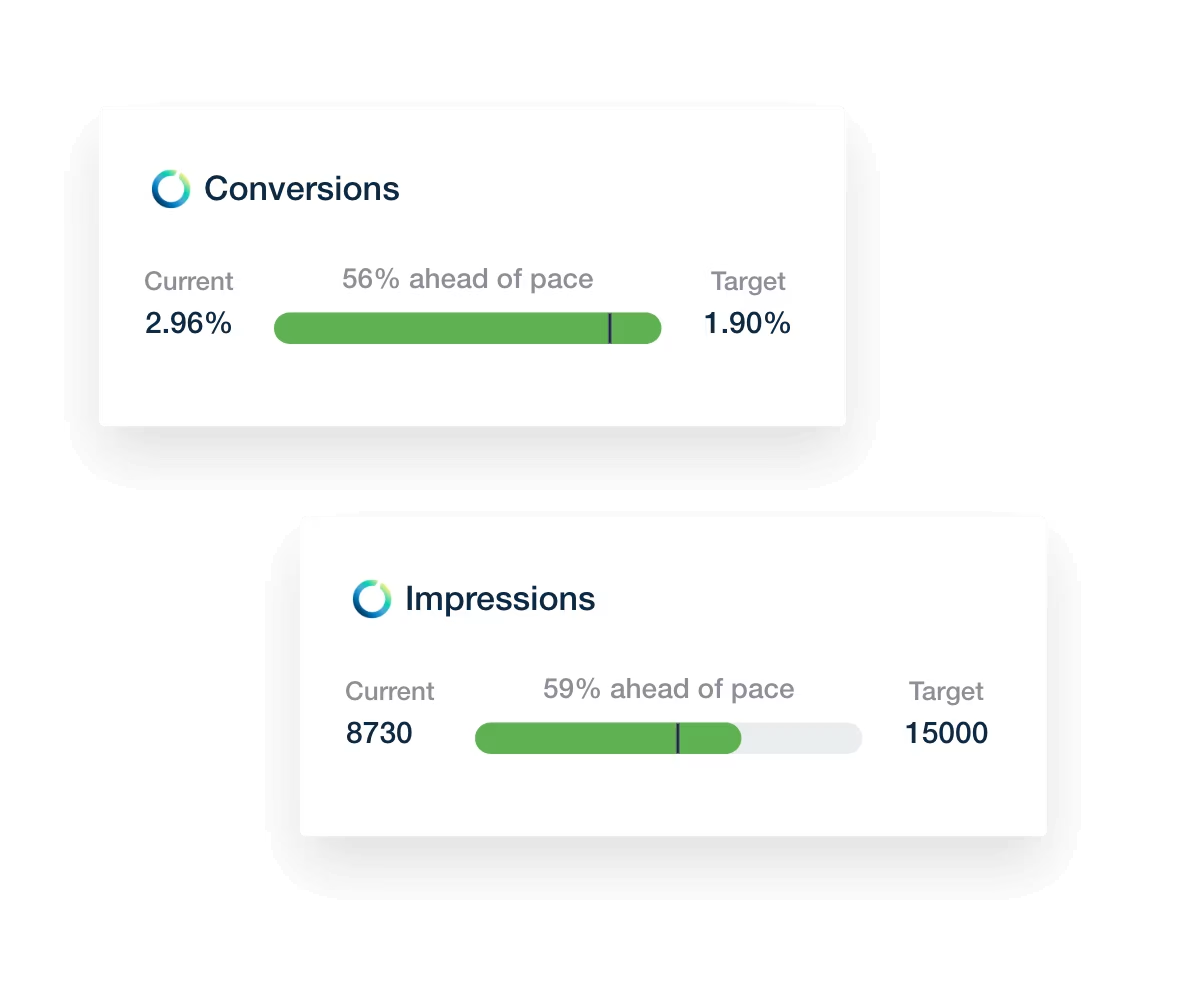
Communicate your agency’s impact at a glance. The Goals widget uses a visual progress bar to show how your efforts are trending against your client’s digital marketing objectives. Show clients exactly how they’re progressing towards their targets by applying goals to any Adform metric. Keep your team on track by breaking down monthly performance and budget pacing targets into day-to-day action items.
Present Personalized Marketing Reports
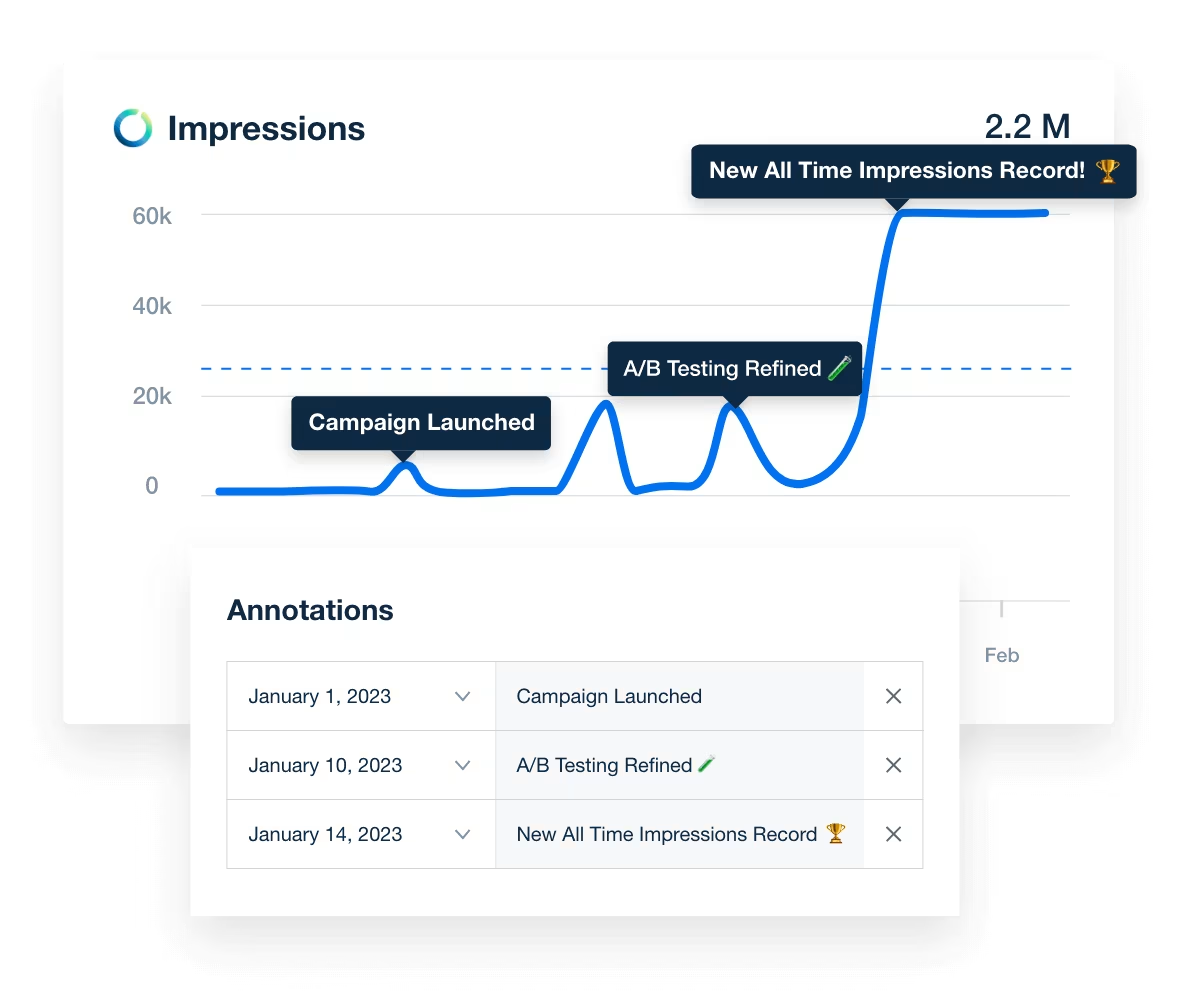
Take your client reporting to the next level and enhance your data storytelling by adding expert annotations. Start with a well-crafted summary, add insights and highlight data changes, and point out big wins so everyone can share in the success. Automate the Adform data-retrieval and report creation processes so your team can focus on adding personalized insights, professional advice, and actionable context.

I’ve looked at every single agency dashboard company… and there isn’t a better one than AgencyAnalytics.

Adform is just one part of your client’s marketing tech stack. Bring together data from more than 90 channels into AgencyAnalytics’ powerful reporting platform for a holistic view of their overall performance. Use the drag-and-drop editor to create custom dashboard views your client will love. Seize back countless hours each month across all your clients by reducing back-and-forth between platforms.
Impress your clients with transparent access to the Adform metrics they care about without causing information overload. Live, custom Adform dashboards give your clients access to the digital marketing data they need, when they need it, in an intuitive format. Deliver an even more customized and professional client experience by using your agency’s branding, including colors, logo, and more.
Showcase your agency’s value with fully branded Adform dashboards and reports that reflect your professionalism. Add your logo, use your domain, and deliver insights in a polished, client-ready layout.
You drive the strategy—your reports should show it.
Discover the white label reporting tool trusted by 7,000+ marketing agencies.

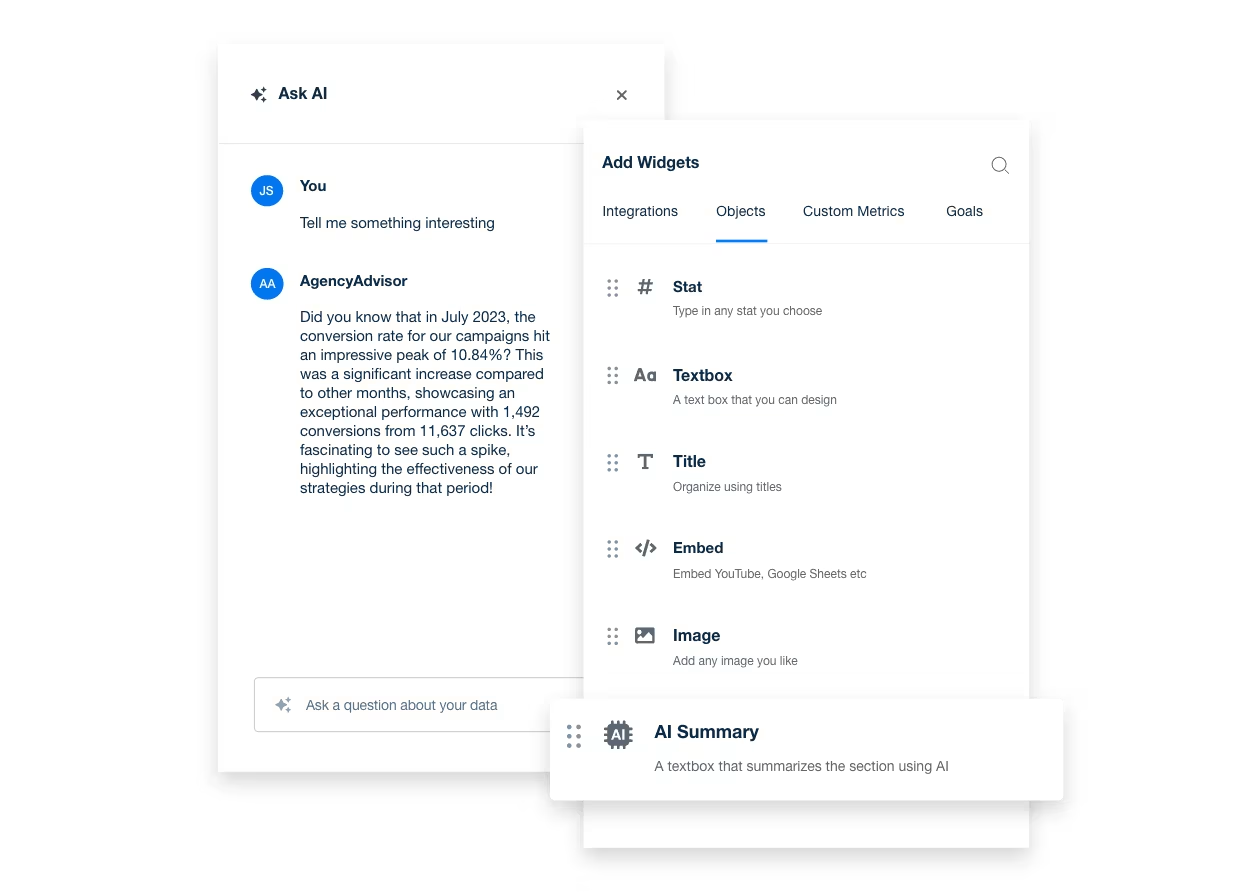
No more digging through dashboards or raw data. AI-powered tools instantly surface key trends in your Adform campaigns—so you act quickly, optimize faster, and deliver insights clients understand.
Less time sorting data. More time proving value.
Transform scattered campaign metrics into visual dashboards that tell a clear story. Skip the spreadsheets and BI tools—deliver insights your clients actually understand and act on.
Clarity builds confidence. Confidence builds trust.
Strengthen relationships and streamline communication with a secure, branded client portal. Give clients access to their Adform data, campaign updates, tasks, and insights—all in one place.
It’s more than reporting. It’s how you stay connected and indispensable.
With AgencyAnalytics, we headed into a new era of reporting. It is no longer seen as dreadful work, we save lots of time, and our reports have become way more valuable to our customers. We keep growing, and our reporting needs to grow with us.

FAQs About Adform Reporting for Marketing Agencies
Managing programmatic ad spend across multiple clients shouldn’t require a spreadsheet maze. These FAQs show agencies how to track essential metrics, deliver polished reports, and scale campaign transparency—without slowing down.
AgencyAnalytics connects to AdForm with the External API turned on, plus an AdForm username and password. It refreshes every 24 hours after that. Full steps are in the AdForm connection guide.
AgencyAnalytics reports Adform campaign analytics, with Clicks, Impressions, Conversions and Cost among the fields you can place. Video completion rate is reported alongside them, so a display and video buy can be read on one page. The metrics explorer on this page lists more of them.
Yes. One AgencyAnalytics report holds sections from every integration connected to that client, so paid, organic, email, and call data land in the same place. If you want the view across several clients at once, that’s a roll-up report.
Yes. AgencyAnalytics white labels the whole thing: your logo replaces ours on the login screen and on every report cover and header, your icon becomes the favicon in the client’s browser tab, and your colors apply to dashboards and widgets. Reports can be served from your own domain, and it’s a one-time setup.
Yes. AgencyAnalytics takes anything you keep in a Google Sheet straight onto a dashboard or report, and custom widgets cover the rest as a stat or a simple text or image block. You can also request an integration; agency votes decide what gets built next.
Yes. An AgencyAnalytics report or dashboard shared as a link opens read-only with no sign-in. Put it on a schedule if they’d rather it just turned up, or give them a portal login if they like to dig into the numbers themselves. Client and staff users are unlimited, so it costs nothing either way.
Usually not. Ask your client to add you as a user on their own accounts with the access AgencyAnalytics needs, then connect under your own login. If they’d rather hang onto their passwords, set them up as a Client User and they connect everything themselves.
Yes. Put a KPI target on the metric and AgencyAnalytics posts to your in-app notification inbox when the target is met, or when the number moves far enough to be worth a look. Set it on one client or across the whole account.
Yes. When an integration disconnects, AgencyAnalytics notifies every user with access to that client, in their in-app inbox. Same whether the authorization lapsed or someone changed permissions at the client’s end, so you hear about it before they do.
Start from the PPC report template or the PPC dashboard template, then add Adform as a section. Both are built around the channel, so the layout is already in place and you edit the sections you want.
More integrations





Everything your agency needs
Automated Reports

White Label Dashboard
Client & Staff Access

Connect Your Data

AI Powered