Majestic SEO Reporting Tool

Bring Majestic SEO data into focus
Transform complex metrics into clear, client-friendly reports that reveal what’s working and where to improve.
New & Lost Links
Trust Flow Metrics
Boost Rankings
Automated SEO Reporting
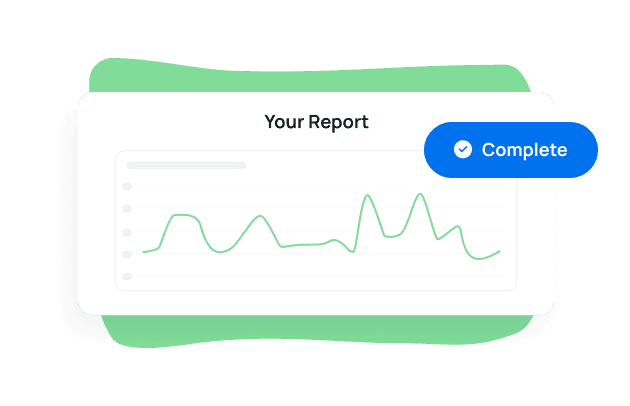
Automated Backlink Reports
Forget the screenshots and spreadsheets. Add Majestic SEO data to your cross-channel marketing reports with just a few clicks. Visualize the progress of your backlink campaigns so clients know just how you’re contributing to their progress in the SERPs.

Explore All Available Majestic SEO Metrics
- Backlinks
- Backlinks Net
- Date
- Domains
- Lost Links
- New Links

Highlight Majestic SEO Data in Your Reports
View the backlink profile for every client’s website directly in your SEO dashboard. Quickly add backlink metrics to your reports so clients are always up-to-date on the progress of link-building campaigns.

Track Progress With New Links
Share your link-building progress with clients. View all referring domains and compare them to the previous period to show clients your progress in building a robust link profile. Add the link types dashboard to get more granular details on your link-building efforts.

Track Progress With Lost Links
Engaging graphs provide clear visualizations of backlinks lost over time. Dive deeper to analyze the full list of lost backlinks to identify follow-up opportunities and stay on top of your clients’ SEO health.

Analyze Anchor Text Profile
See your most popular anchor texts to gain a better understanding of how people link to your clients’ websites. Analyze trust flow and follow metrics for each anchor text for further insight into authority.

Trust Flow & Citation Flow
Pinpoint your juiciest links from high-authority websites with a breakdown of flow metrics and link types. Use the Trust Flow and Citation Flow metrics to identify trustworthy links and the target URL. Know how often sites are linking to your clients via image or text links.
Showcase your agency’s value with polished, fully branded SEO reports and dashboards. Whether you’re tracking campaign performance or strategy milestones, deliver dashboards your clients trust—and that keep your brand front and center.
Customize every detail, from logos to domains, for a professional client experience that stands out.
Bring Majestic insights together with Google Search Console, keyword tools, and more to showcase the full scope of your clients’ SEO performance. Monitor rankings, visibility, and strategic progress in one streamlined reporting platform.
Automate your SEO reporting to deliver better insights, stronger strategies, and measurable results—without the manual lift.
Skip the data overload—AI surfaces the most meaningful insights from your SEO reports in seconds. Whether you’re highlighting visibility gains or backlink trends, AI Summary delivers clear overviews that tie your strategy to real outcomes.
Less time explaining. More time optimizing.
Set custom SEO goals that align with client strategy—whether you’re tracking visibility, authority signals, or broader campaign impact. Combine Majestic with data from 85 other platforms to create reports that show real progress.
Add expert commentary to tie results to business outcomes and reinforce your agency’s value at every step.

Discover the white label reporting tool trusted by 7,000+ marketing agencies.

Turn SEO performance into clean, visual dashboards your clients can understand instantly. Combine Majestic with data from 85 platforms to highlight trends, compare strategies, and showcase what’s working—no BI tools required.
Clear, client-ready insights. Built for agency workflows.
Track performance portfolio-wide without exporting a thing. Aggregate SEO data from Majestic and other platforms into one high-level view that covers all of your SEO clients. Compare performance across campaigns, locations, or clients to uncover trends and guide strategy—without switching tabs or stitching together spreadsheets.
Give clients a branded, always-on portal to view their SEO performance—alongside campaign updates, tasks, and custom insights. Bring Majestic data into one secure space where your strategy stays visible and your agency leads the conversation.
You control the story. Clients stay informed. Trust grows.
Show clients how your work drives long-term growth and visibility. With Majestic integrated into automated, white-labeled reports and dashboards, you’ll highlight strategic wins without the clutter of spreadsheets or fragmented tools.
Clear reporting. Tangible value. Trusted results.

FAQs About Majestic SEO Reporting for Marketing Agencies
Need clarity on backlink reporting? These answers guide agencies through tracking key metrics, automating reports, and managing backlink insights across client accounts.
Nothing. AgencyAnalytics connects to Majestic with no login credentials and no account of your client’s, and the data refreshes every 24 hours. New and lost links reach back 116 days, which is Majestic’s own window on fresh link data, so plan link reporting around a rolling quarter. Full steps are in the Majestic backlinks guide.
AgencyAnalytics reports Majestic backlink analytics, with Backlinks, Domains, New Links and Lost Links among the fields you can place. New and lost links are counted separately, so a flat backlink total can be shown for what it is. The metrics explorer on this page lists more of them.
Yes. One AgencyAnalytics report holds sections from every integration connected to that client, so paid, organic, email, and call data land in the same place. If you want the view across several clients at once, that’s a roll-up report.
Yes. AgencyAnalytics white labels the whole thing: your logo replaces ours on the login screen and on every report cover and header, your icon becomes the favicon in the client’s browser tab, and your colors apply to dashboards and widgets. Reports can be served from your own domain, and it’s a one-time setup.
Yes. AgencyAnalytics takes anything you keep in a Google Sheet straight onto a dashboard or report, and custom widgets cover the rest as a stat or a simple text or image block. You can also request an integration; agency votes decide what gets built next.
Yes. An AgencyAnalytics report or dashboard shared as a link opens read-only with no sign-in. Put it on a schedule if they’d rather it just turned up, or give them a portal login if they like to dig into the numbers themselves. Client and staff users are unlimited, so it costs nothing either way.
Usually not. Ask your client to add you as a user on their own accounts with the access AgencyAnalytics needs, then connect under your own login. If they’d rather hang onto their passwords, set them up as a Client User and they connect everything themselves.
Yes. Put a KPI target on the metric and AgencyAnalytics posts to your in-app notification inbox when the target is met, or when the number moves far enough to be worth a look. Set it on one client or across the whole account.
Yes. When an integration disconnects, AgencyAnalytics notifies every user with access to that client, in their in-app inbox. Same whether the authorization lapsed or someone changed permissions at the client’s end, so you hear about it before they do.
Start from the link building report template or the link building dashboard template, then add Majestic as a section. Both are built around the channel, so the layout is already in place and you edit the sections you want.




Everything your agency needs
Automated Reports

White Label Dashboard
Client & Staff Access

Connect Your Data
AI Powered
