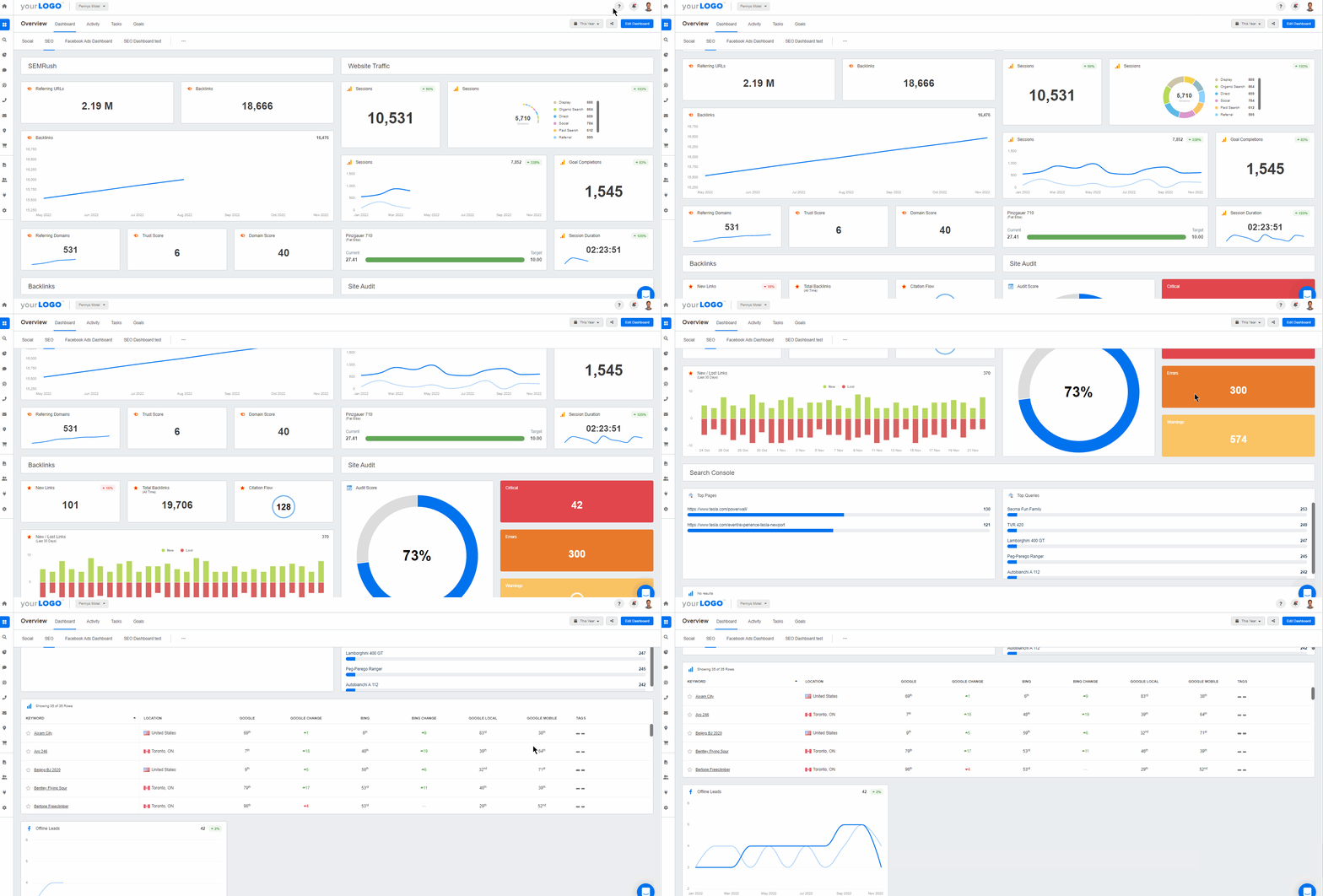
A content marketing analytics dashboard aggregates and visualizes data from various campaigns. It provides a comprehensive view of content marketing performance, removing the need for manual data collection. By consolidating insights from various sources, agencies optimize content, improve engagement, and drive better results. This guide explores how to build an effective content marketing dashboard, save time, and improve efficiency.
“That sounds great. But what was the ROI?”
Same scenario, different client meeting. It’s a common question from clients after you’ve executed most digital marketing campaigns. That said, content marketing efforts are always a little more… tricky.
Concepts like “We’ve increased brand awareness!” aren’t the easiest to describe, especially since it doesn’t immediately translate into tangible results.
Here’s another degree of complexity–if your client has multiple content marketing efforts, they’re all interconnected in some way. Those newly acquired backlinks? They’re building your client’s . What about that viral Facebook post? In addition to social shares, it’s leading to more online website purchases.
How does your agency’s content marketing strategy impact a client’s bottom line? Learn how to create a content marketing report for clients in this guide by Abby Wood, Founder of The Content Lab.
Content marketing KPIs connect ROI to creative output, give tangible results, and demonstrate content performance. Here are the ones your agency should track.
Given the symbiotic nature of content marketing strategies, your agency needs a way to paint the big picture. And guess what–presenting some complex spreadsheet won’t convey your message effectively (not to mention it’s a complete pain to put together).
So, what’s an agency to do? The answer is creating a comprehensive content marketing dashboard. Pull insights from complex campaigns fast with data-rich dashboard reporting software. It’s a way to house all your data in one place, visually present metrics, and develop a data-informed content strategy.
Without a dashboard that automatically tracks your clients’ marketing metrics, you’ll be logging into multiple platforms and manually creating reports. This unnecessarily eats up your agency’s time. From a user experience perspective, it ends up being much easier to get the data from within a dashboard than it is to go directly to the data provider.
In this article, we’ll explore why your marketing team needs this dashboard, along with tips for deciding on content marketing goals and the right software.
What Is a Content Marketing Dashboard?
A content marketing dashboard displays key metrics across multiple organic campaigns in one visual interface.
More specifically, this tool is designed to:
Remove the Hassle of Logging Into Individual Accounts. Instead, content marketers centralize insights across social media, email marketing, websites, CRMs, and other data sources.
Transform Complex Numbers Into Dynamic, Easy-to-Grasp Visuals. This helps clients understand their data, pinpoint historical trends, and make informed decisions.
Identify a Client’s Top-Performing Organic Channels and Content. Use this data to uncover user-relevant topics, understand audience behavior, and invest in the most impactful platforms.
Monitor Real-Time Content Marketing Performance and make course corrections (if needed). In turn, this leads to better results at the end of a campaign.
Keep Your Agency Accountable for Pre-Defined Targets. Sharing dashboards with clients (e.g., via direct login access) builds trust, maintains data transparency, and leads to better retention.
Quickly and Easily Create Client Reports to Showcase Your Content Marketing Efforts
No two content marketing campaigns are the same. While a fancy dashboard may be pretty to look at, it loses value if it’s full of fluffy or irrelevant metrics.
To avoid this scenario, figure out what your client wants to achieve. That way, you’ll understand which data points to track and what content marketing success looks like.
Start by taking a close look at a client’s objectives. Then, identify the key performance indicators (KPIs) that will measure progress towards those goals. Once this is established, monitor the metrics that will provide the most insights into performance. By taking this approach, metrics are always actionable and informative.
Not exactly sure what content marketing goals look like? Here are a few examples below.
Content Marketing Goal
Example
Increase Organic Traffic
Publish three SEO-optimized blog posts per week to drive organic website traffic to 1,000 visitors/month.
Boost Brand Awareness
Share one infographic per week on LinkedIn to demonstrate industry expertise and authority.
Generate Qualified Leads
Create a website CTA button for an eBook download and acquire fifty qualified leads per month.
Improve Conversion Rates
Conduct two-week A/B testing on a client's homepage headline and CTA button colors. Then, use this data to determine the highest-converting combination.
Increase Social Media Engagement
Run an Instagram contest that requires participants to follow a client's account and comment on a post.
Build Thought Leadership
Submit three in-depth guest articles per quarter to attain ten reputable backlinks.
Retain Paying Customers
Send a bi-weekly email newsletter to engage previous purchasers, along with exclusive discount codes to reward their loyalty.
Enhance Search Engine Optimization
Update the top-performing ten blog posts per quarter, using relevant keywords to maintain search visibility.
Regardless of the content marketing goal, ensure your agency has a systematic way to monitor progress. That way, you’ll have actionable updates to share while helping clients meet their targets.
“How well does this fit with our existing tools and systems?”
Sound familiar? These are common (and valid) questions when deciding on content marketing software. After all, there are many tools that are designed for dashboard creation and data tracking.
To help guide your decision, here are a few key things to consider.
Consideration
Description
Learning Curve
Choose a tool that’s user-friendly, both for internal marketing teams and clients. Dashboards should be easy to navigate and adopt, all while providing actionable insights.
Integration Capabilities
Evaluate your clients’ top-used content marketing platforms (e.g., Google Analytics, Mailchimp, Google Search Console). Then, choose software that has each required API integration, which ensures seamless connection and data retrieval.
Opt for a tool that provides real-time data updates. This ensures that the most current information is always available for analysis and decision-making.
Scalability
When choosing a platform, consider your agency’s current and future growth trajectory. Research whether this tool is equipped to handle increasing amounts of data and more client projects over time.
Look for robust features, including login access to live dashboards, advanced report scheduling, and the ability to export reports in various formats (e.g., PDF).
Cost-Effectiveness
Research the upfront investment for this tool and the cost of any package upgrades. Also, consider other cost-related benefits, such as billable time saved.
Research user feedback to understand the tool’s performance and usability. Explore review sites like G2 and Capterra for unbiased, real-life opinions.
Mobile Accessibility
Select a tool that provides accessibility across various devices (e.g., the option to use a mobile app). This makes it easier for clients to access their data while on the go.
Free Trial Signup
Take advantage of any free trial period to test the tool’s features and usability. That way, you’ll have a solid understanding of whether it actually meets your agency’s requirements.
Choosing the right content marketing software may feel overwhelming. However, these guidelines are handy while conducting research and making a final decision.
There are many analytics tools on the market with some of these capabilities. But wouldn’t you rather a single solution that has it all? The truth is that most dashboard tools aren’t created for agencies (or content marketing, for that matter). Investing in a blanket solution has consequences. Complex API integration coding or program crashes, anyone? Definitely not ideal!
Instead of dealing with these avoidable issues, invest in a tool like AgencyAnalytics. Purpose-built for marketing agencies like yours, it includes everything you need to create a visual, real-time content marketing dashboard.
The result? Increased time efficiency, consolidated insights, and a holistic view of content marketing performance.
Content marketing analytics software streamlines client reporting and measures changes in campaign performance. That’s what your clients really care about. When you start to layer on 7 to 10 different marketing activities and channels, it becomes very complex to track everything accurately. Being able to easily report on our results to clients with AgencyAnalytics has been extremely valuable to our company.
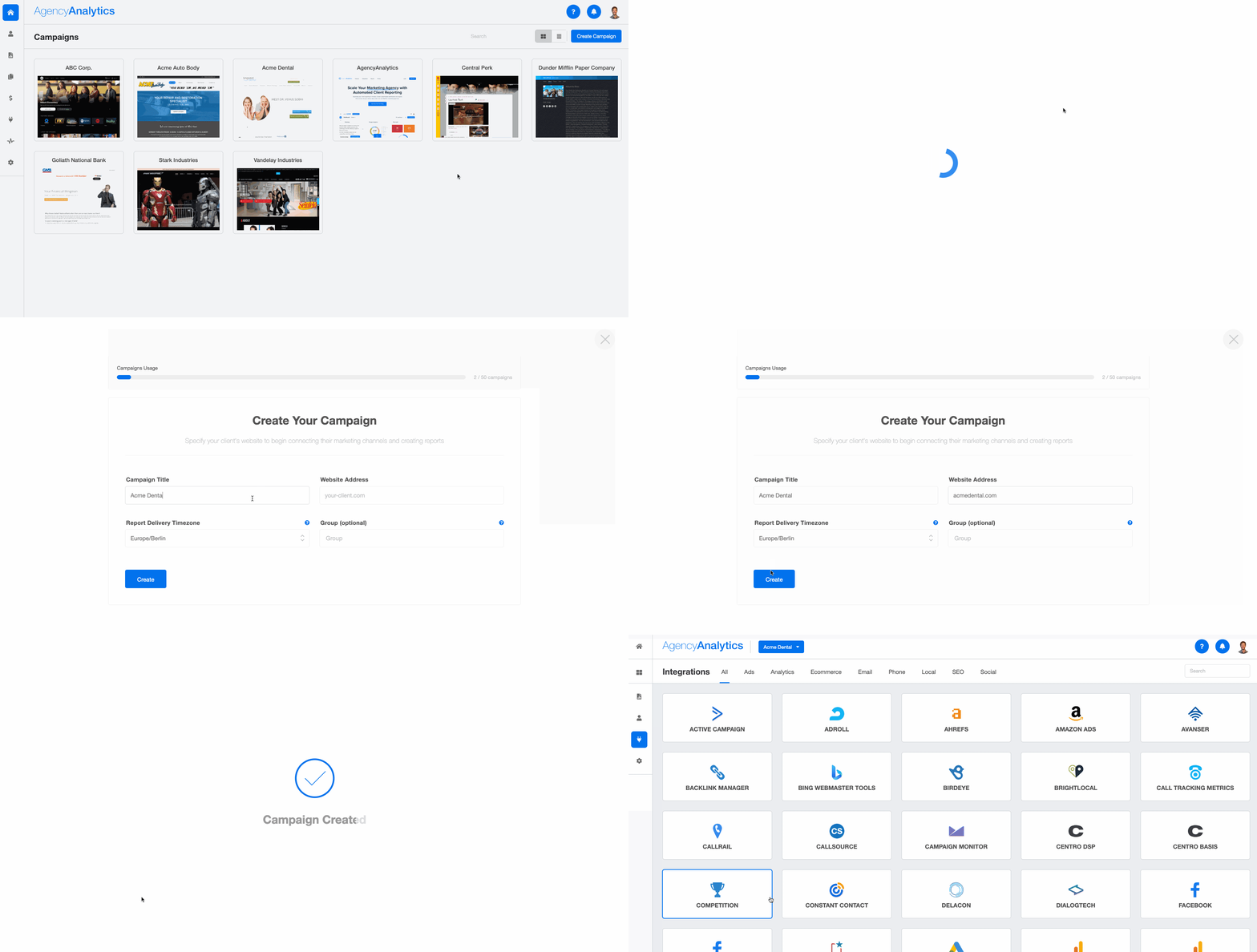
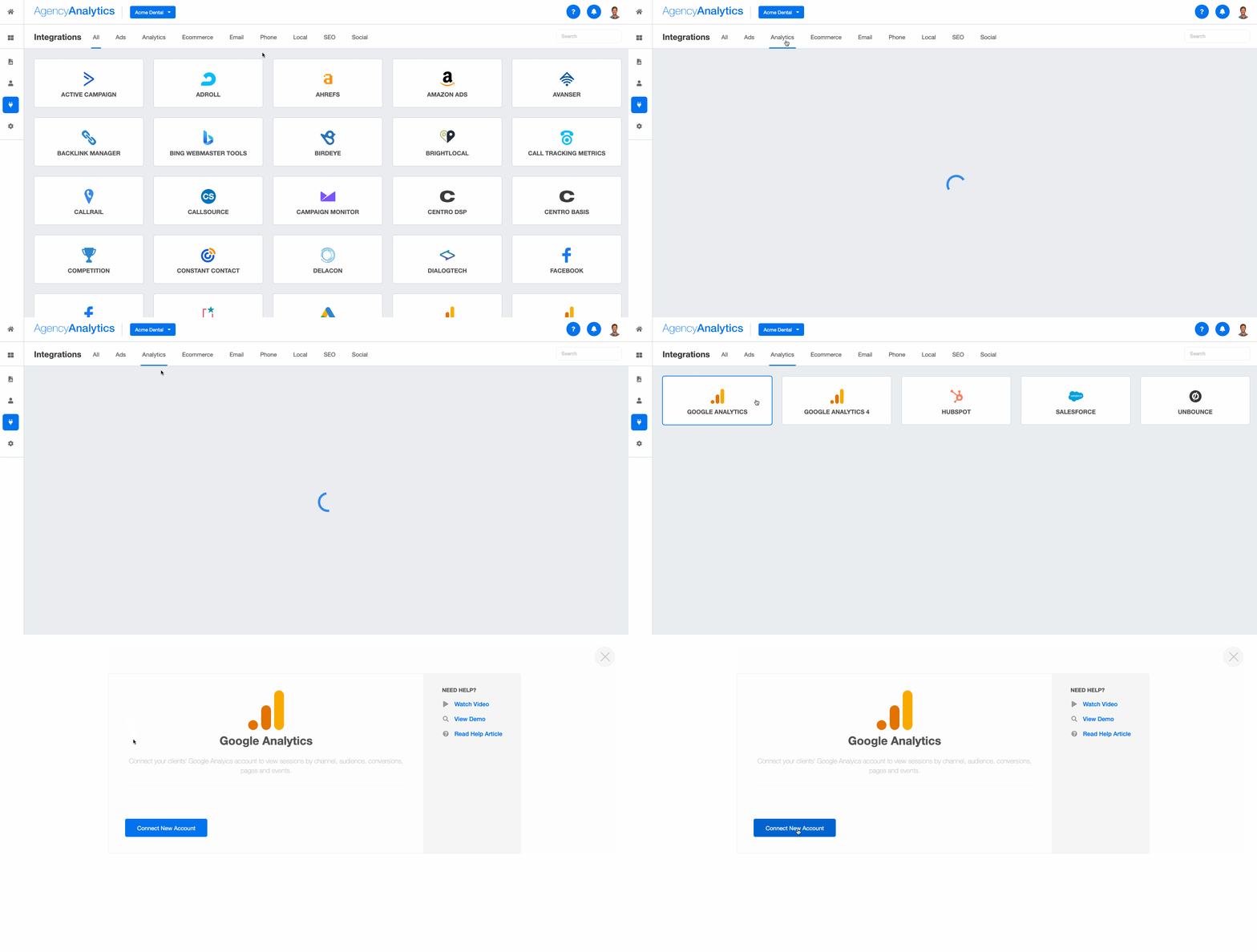
… and more! In fact, there are a whopping 85+ integrations to choose from. Repeat this step when integrating multiple data sources.
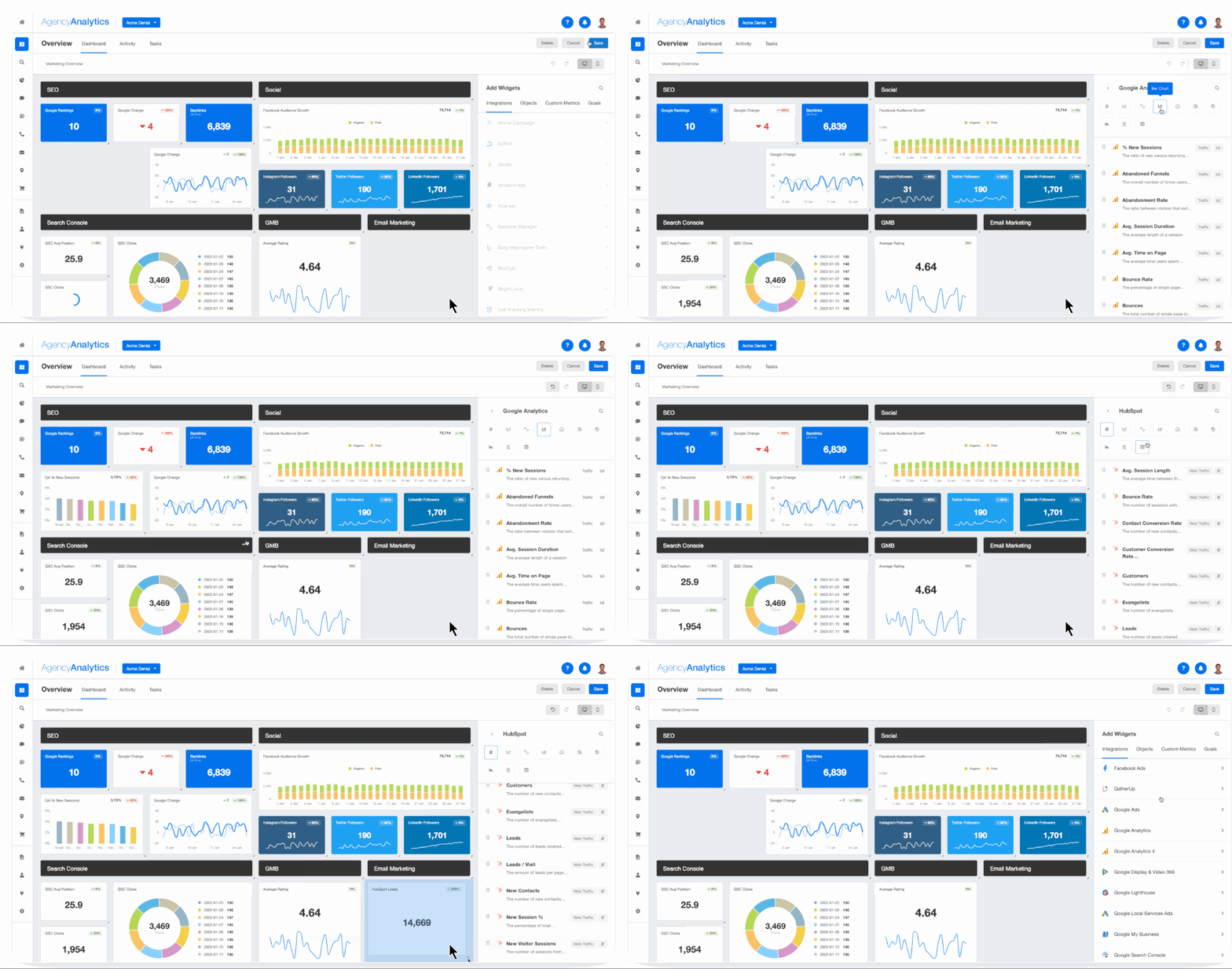
3. Create Dashboard Sections. Once your client’s integrations are successfully connected, go to the home page and click the campaign that was just created. Then, click “Create Dashboard Section.” You’ll have the option to:
Start with a blank dashboard (ideal if you want to build a custom dashboard from scratch).
Generate a “Smart Section”, which pre-populates a dashboard with data from your client’s integrations in just 11 seconds.
Clone a section from one of your existing dashboards.
Got clients who prefer static report formats? Easily flip any dashboard into a downloadable PDF. Alternatively, take advantage of the 11-second Smart Report feature, which (similar to Smart Dashboards) auto-populates with the most popular metrics from your client’s integrations.
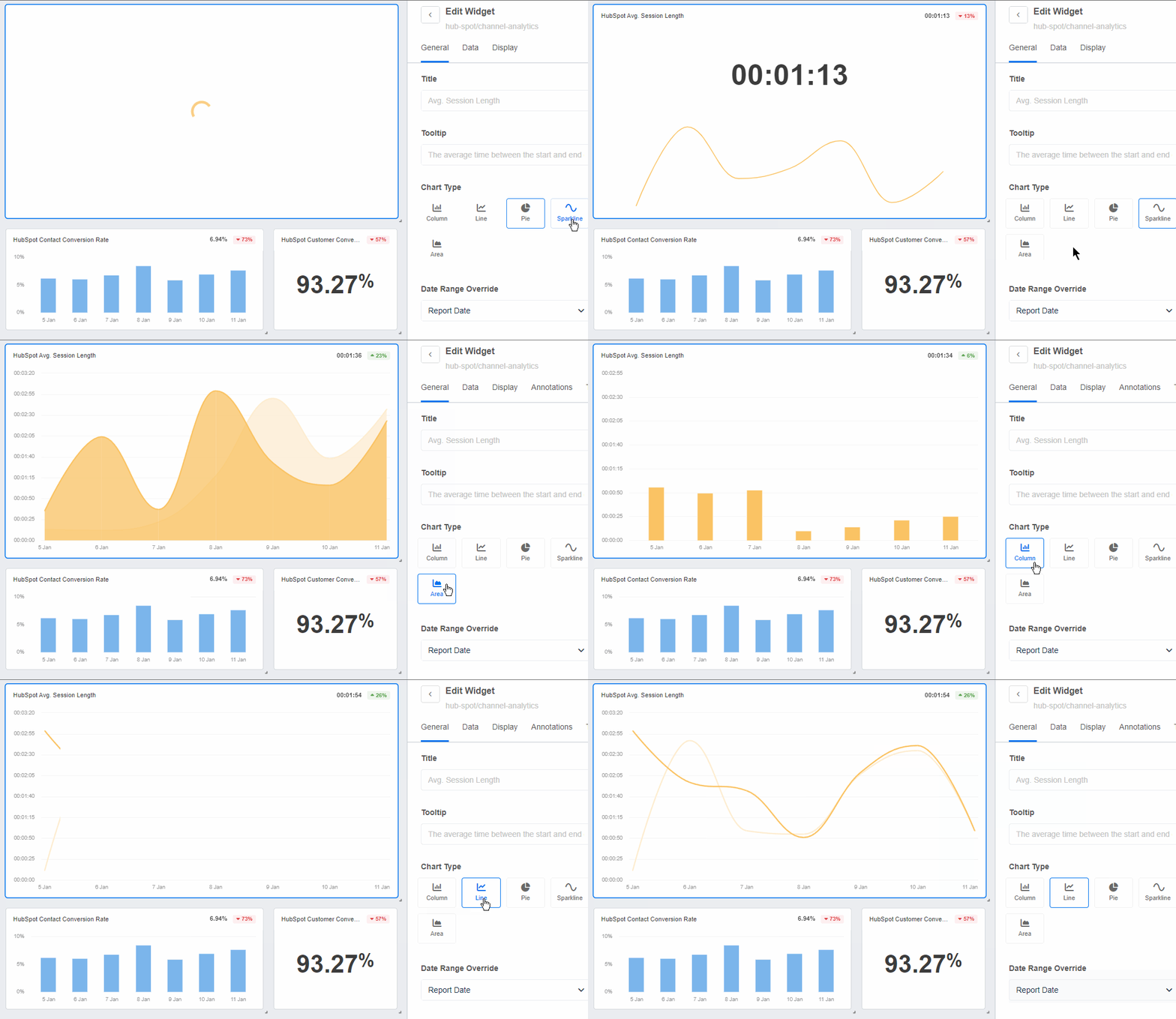
Add widgets, shift things around, and make them your own–even toggle with data visualizations. For example, switch from a bar chart to a geographic map when sharing website traffic data.
This simple step illustrates visitors by country, which is something your client may prioritize. You’ve got options!
Transparent communication with clients is vital to building trust and credibility. AgencyAnalytics' intuitive reporting features enabled us to provide clear and concise data visualizations. This makes it easier for clients to understand campaign progress and results.
Choose the visualization that best illustrates your client’s marketing data. Access a variety of chart types in AgencyAnalytics–sign up for a free 14-day trial today.
Examples of Metrics To Include in a Content Marketing Dashboard
The average length of time viewers spend watching specific videos.
New vs. Lost Backlinks
The number of new backlinks acquired versus those lost over time.
Bonus: Track Content Marketing Tasks In-Platform
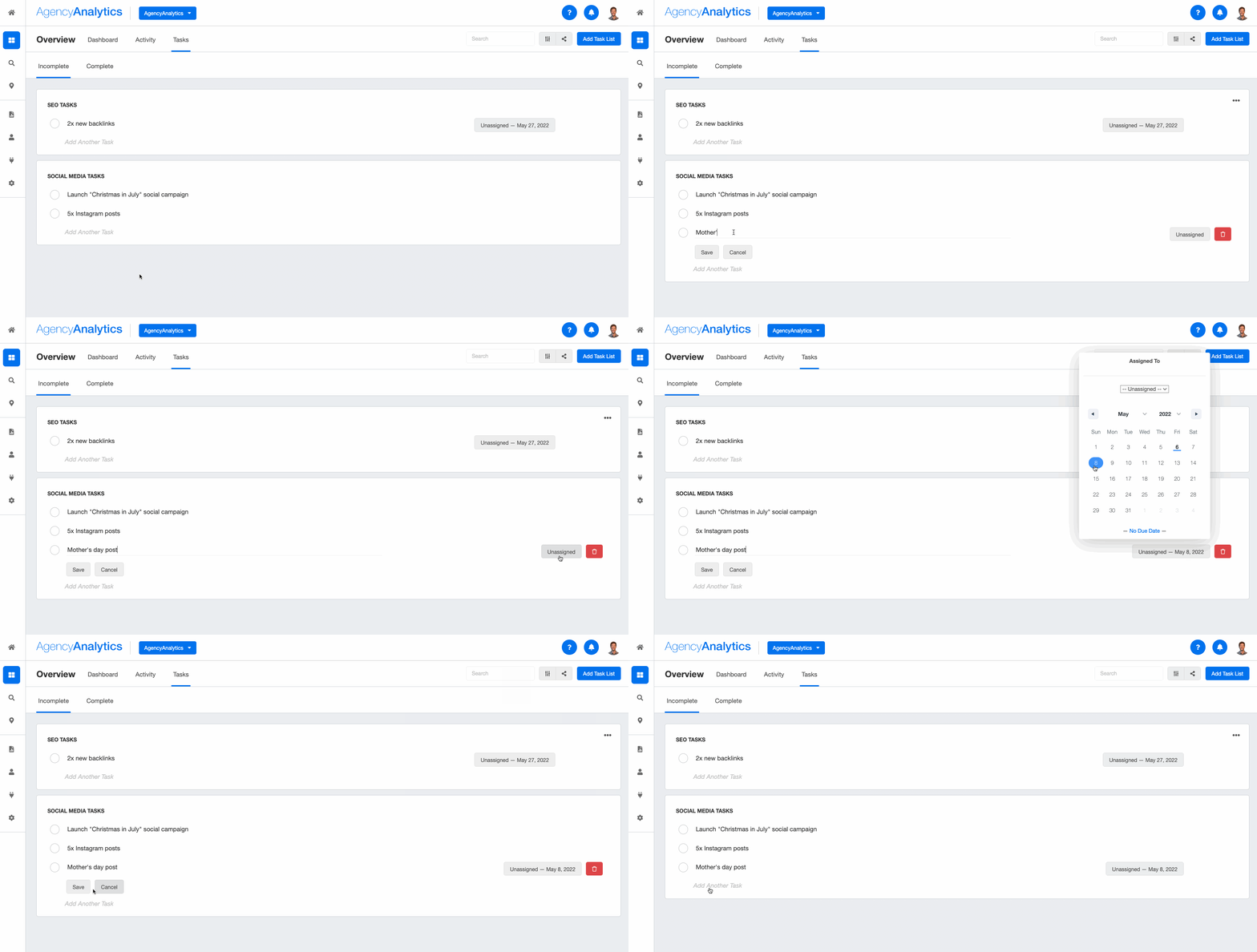
Here’s a nifty way to get the most from this tool! Use the task management feature to streamline editorial planning, track the status of content creation, and assign deliverables to team members.
This added step ensures that your client’s content pipeline is managed effectively. It also shows what work is in progress or has been completed.
Invest in a Tool That Consolidates Content Marketing Metrics and Much More
As we’ve covered, your client’s content marketing efforts don’t exist in siloes. From social media campaigns to email newsletters, they’re all interconnected and impact overall performance.
Therefore, agencies must have a way to show these correlations, view metrics side-by-side, and generate impactful results. A good content marketing dashboard is just the way to do it. To sum it up, this tool:
Eliminates the need for manual data retrieval, reducing the chances of human error or oversights.
Makes it easier to conduct a cross-channel comparison and identify the most fruitful content marketing platforms.
Helps your agency identify what resonates with a client’s target audience. This will lead to a data-informed, relevant content marketing strategy.
Content marketing aside, your clients may have complementary campaigns across other marketing channels (e.g., Google Ads).
AgencyAnalytics allows me to integrate all of my important data easily and create gorgeous dashboards and reports that my clients love at an affordable price point. If you are considering using AgencyAnalytics, know that it will pay for itself, and your clients will be blown away with how amazing the software is.
Faryal Khan is a multidisciplinary creative with 10+ years of experience in marketing and communications. Drawing on her background in statistics and psychology, she fuses storytelling with data to craft narratives that both inform and inspire.